Get deals signed sooner and pay everyone on time

Acts and suppliers sign your contract online without making an account. See every deposit and balance by its due date, and settle each show from its ticket sales.

Ticket Fairy Event Operating System: Contracts & payments
  • Contracts signed without printing a page
  • See what you owe and when
  • Each show settled from its ticket sales

Get your contracts signed sooner

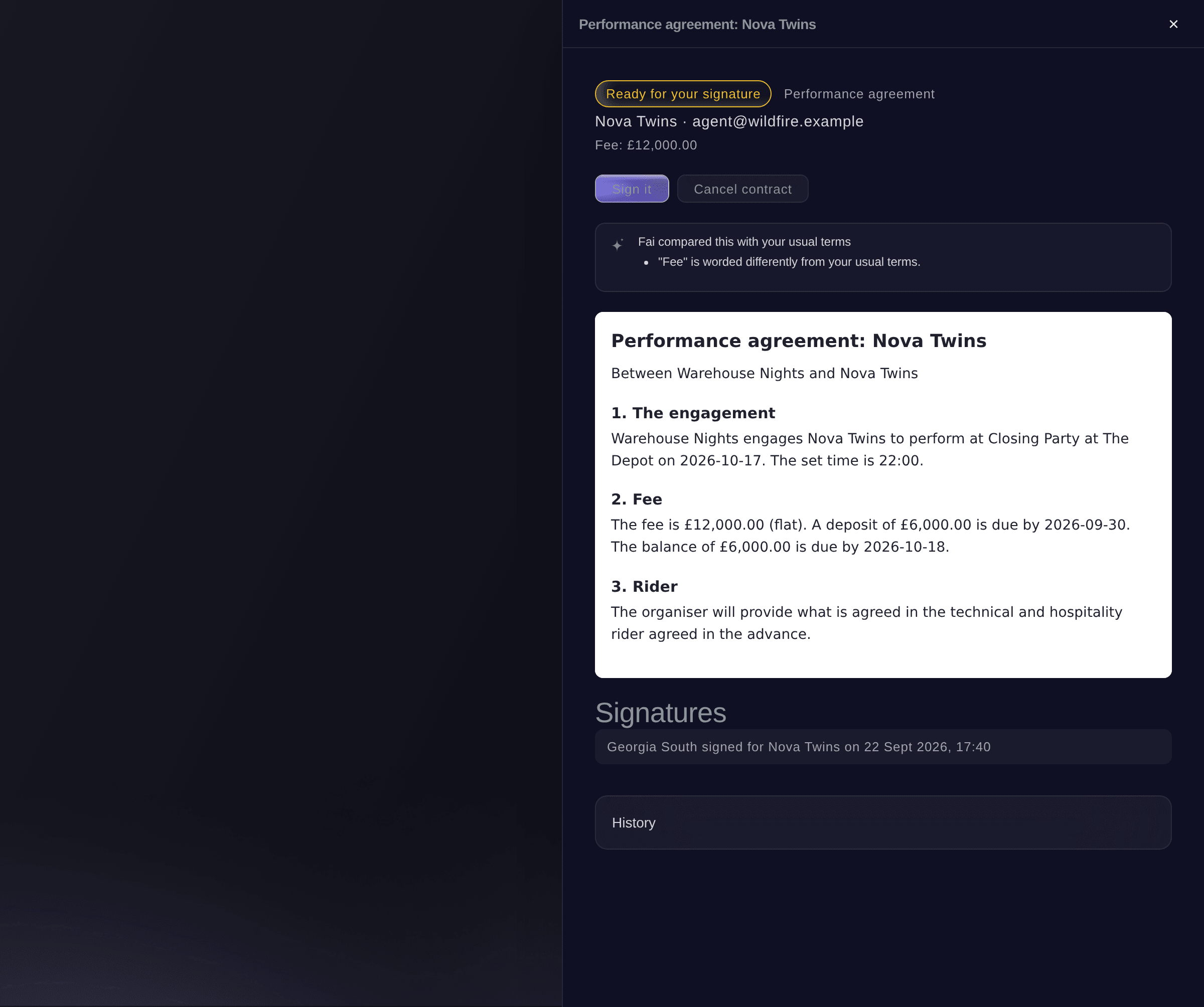
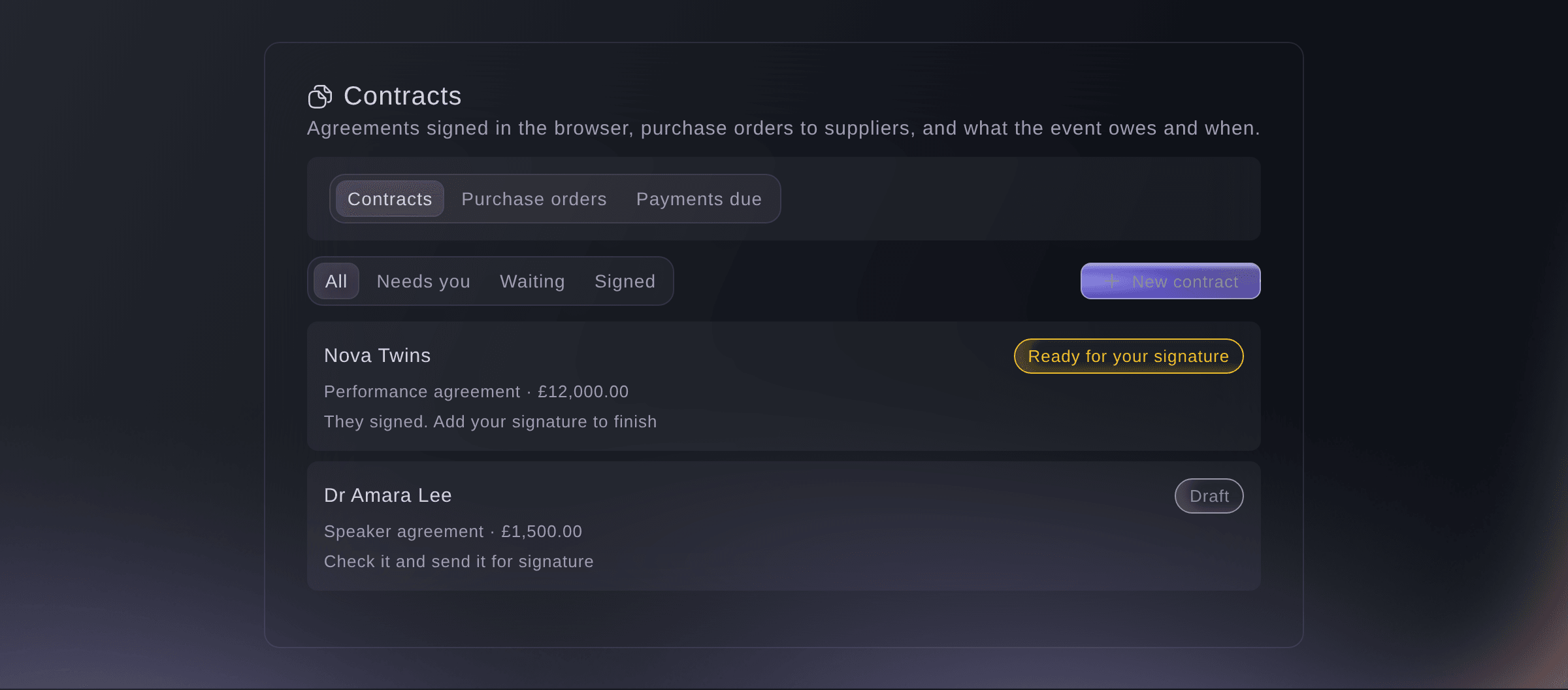
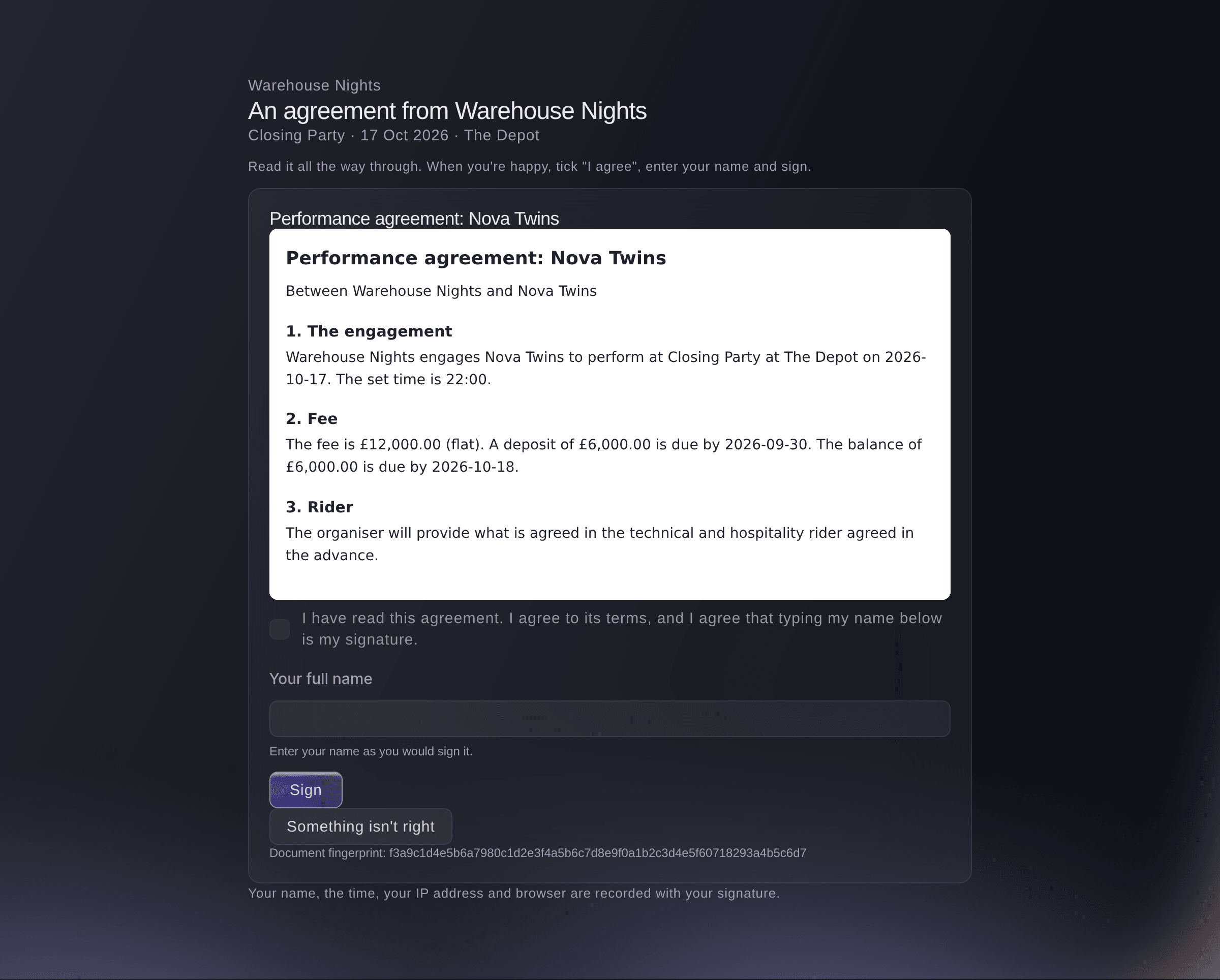
Send the contract as soon as the deal is agreed. The act, trader or supplier signs on their phone or computer without making an account. Start it from an accepted offer, a booked act, an approved trader or a supplier's quote, send it by email for signature, then countersign. If something changes after signing, add an amendment.

  • Contracts from your deals: start from the offer, the act, the trader or the quote
  • Signature by email: no account to make before signing
  • Amendments: change a signed contract without losing the signed version
Ticket Fairy Event Operating System: Get your contracts signed sooner

Turn an agent's paperwork into payments and advances

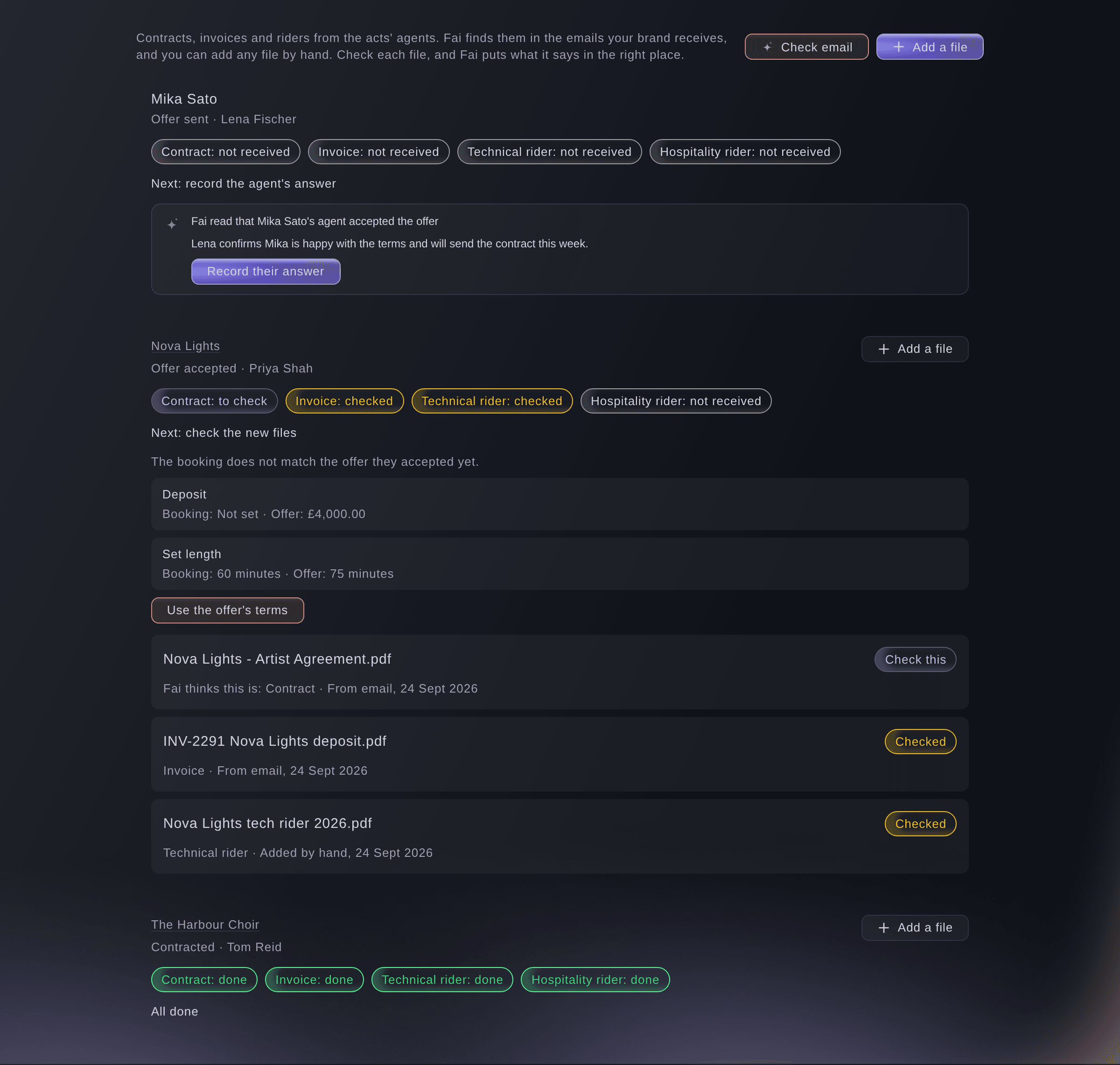
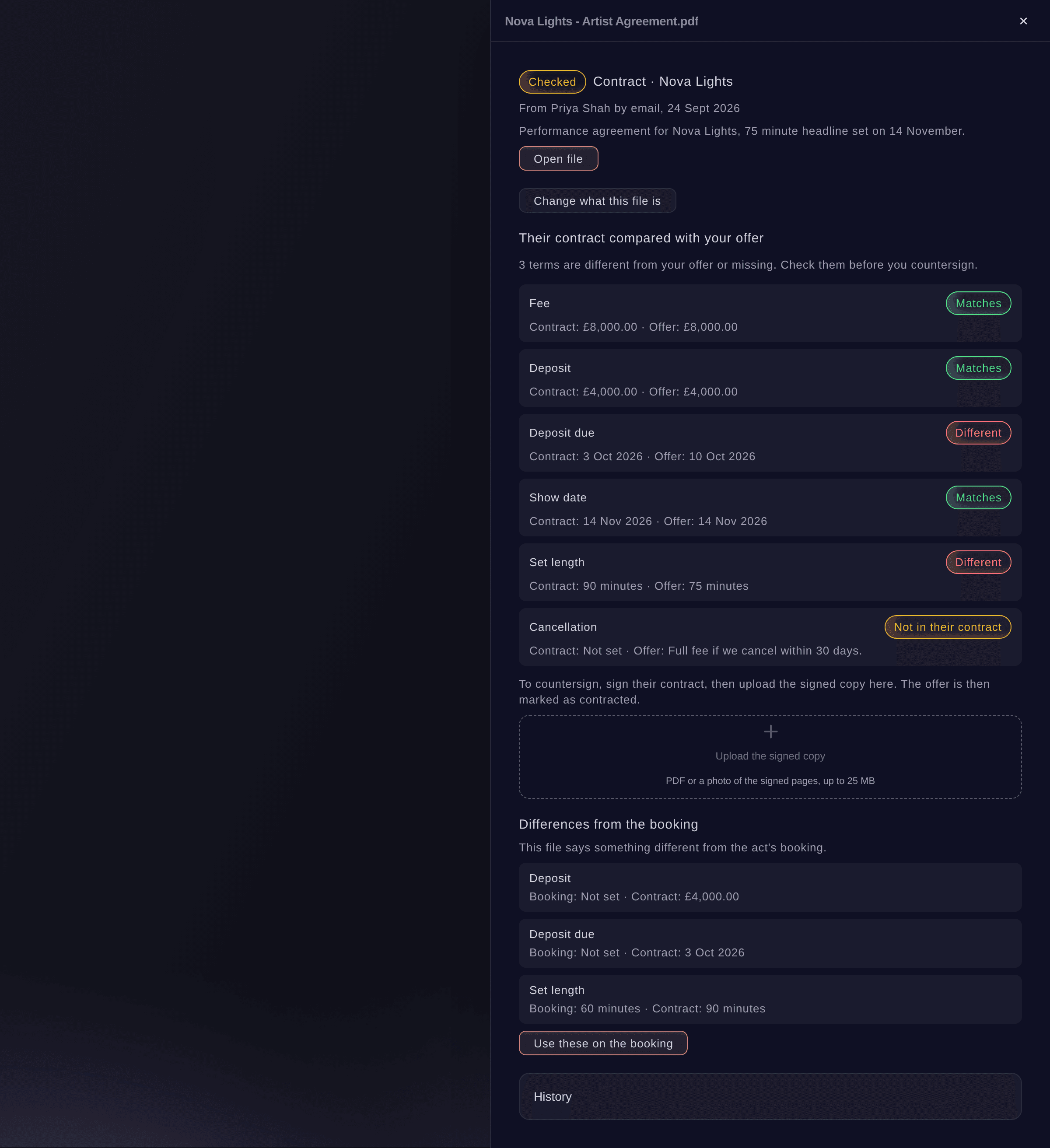
When an agent accepts your offer, Fai finds their contract, invoice and riders in your connected mailbox, or in files you add, and tells you what each one is. You see their contract compared with your offer term by term in plain words, then you upload the countersigned copy. Their invoice goes into Payments due and your budget, and their riders become answers you can accept on the act's advance.

  • Found by Fai: the contract, invoice and riders the agent sends
  • Compared with your offer: fee, deposit, due dates, show date, set length and cancellation
  • New versions: see what changed before you use it
Ticket Fairy Event Operating System: Turn an agent's paperwork into payments and advances

Send contracts and packs to everyone in one step

Make a contract for each booked act, approved trader or supplier from one template, each filled in from their own record. Check every contract in a single preview and send them for signature with one approval. Put together a pack for each kind of contact, with your site rules, the map and their own day sheet, contract and rider, and email it to all of them. You see who opened it.

  • Send several: one template, each contract filled in from its record
  • Document packs: each person opens their own pack without an account
  • Results: who got it, who opened it and who signed
Ticket Fairy Event Operating System: Send contracts and packs to everyone in one step

Pay every deposit, balance and supplier on time

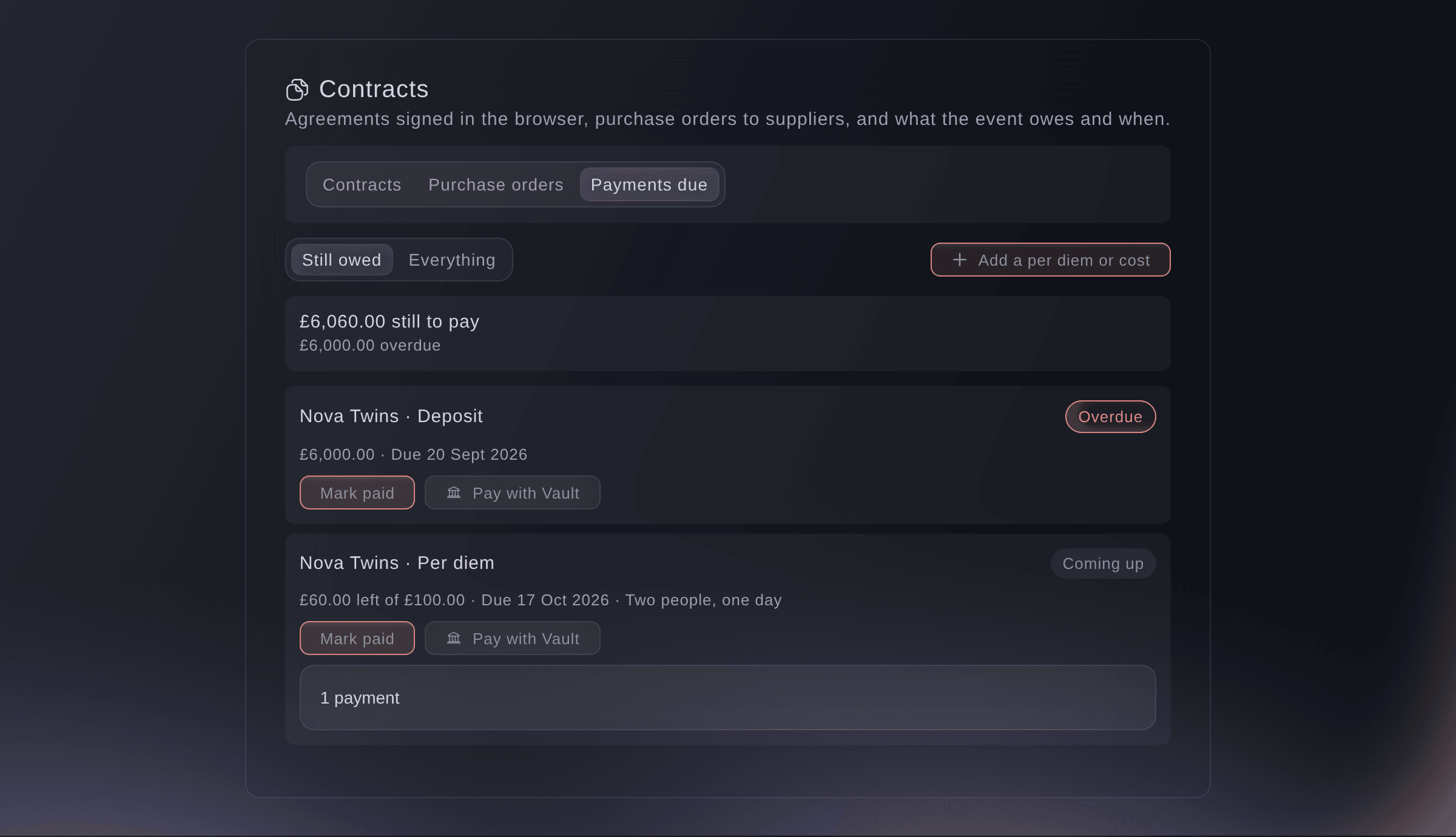
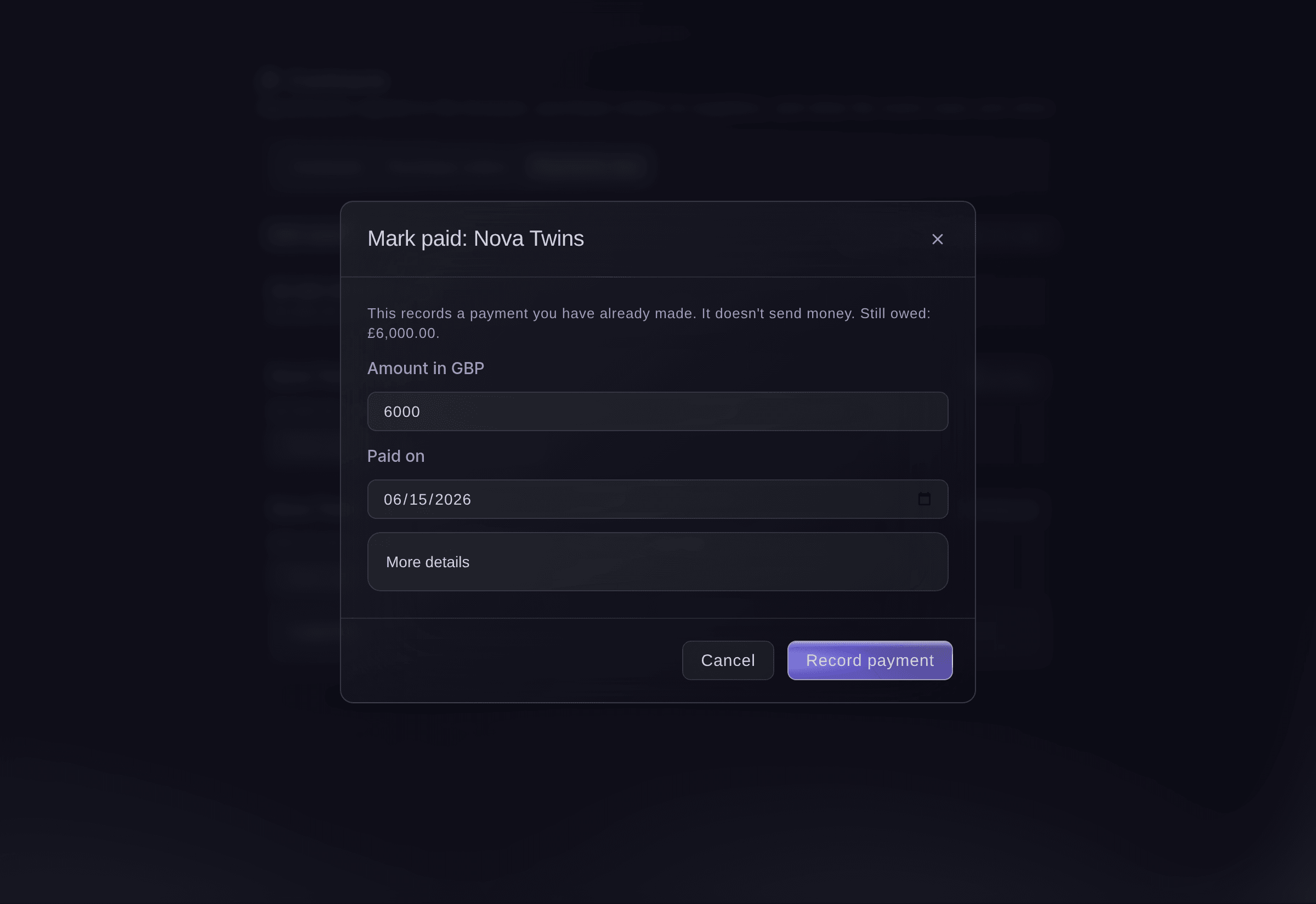
Know what you owe and when. Payments due shows each deposit, balance, per diem, backline and supplier payment as overdue, due this week or coming up. Mark each one paid when the money goes, and reverse any you marked by mistake.

  • Payments due: overdue, due this week and coming up
  • Purchase orders: send a PO, match the supplier's invoice to it and count it in your budget
  • Reversals: undo a payment marked by mistake and keep the history
Ticket Fairy Event Operating System: Pay every deposit, balance and supplier on time

Settle each show faster, with figures the artist can check

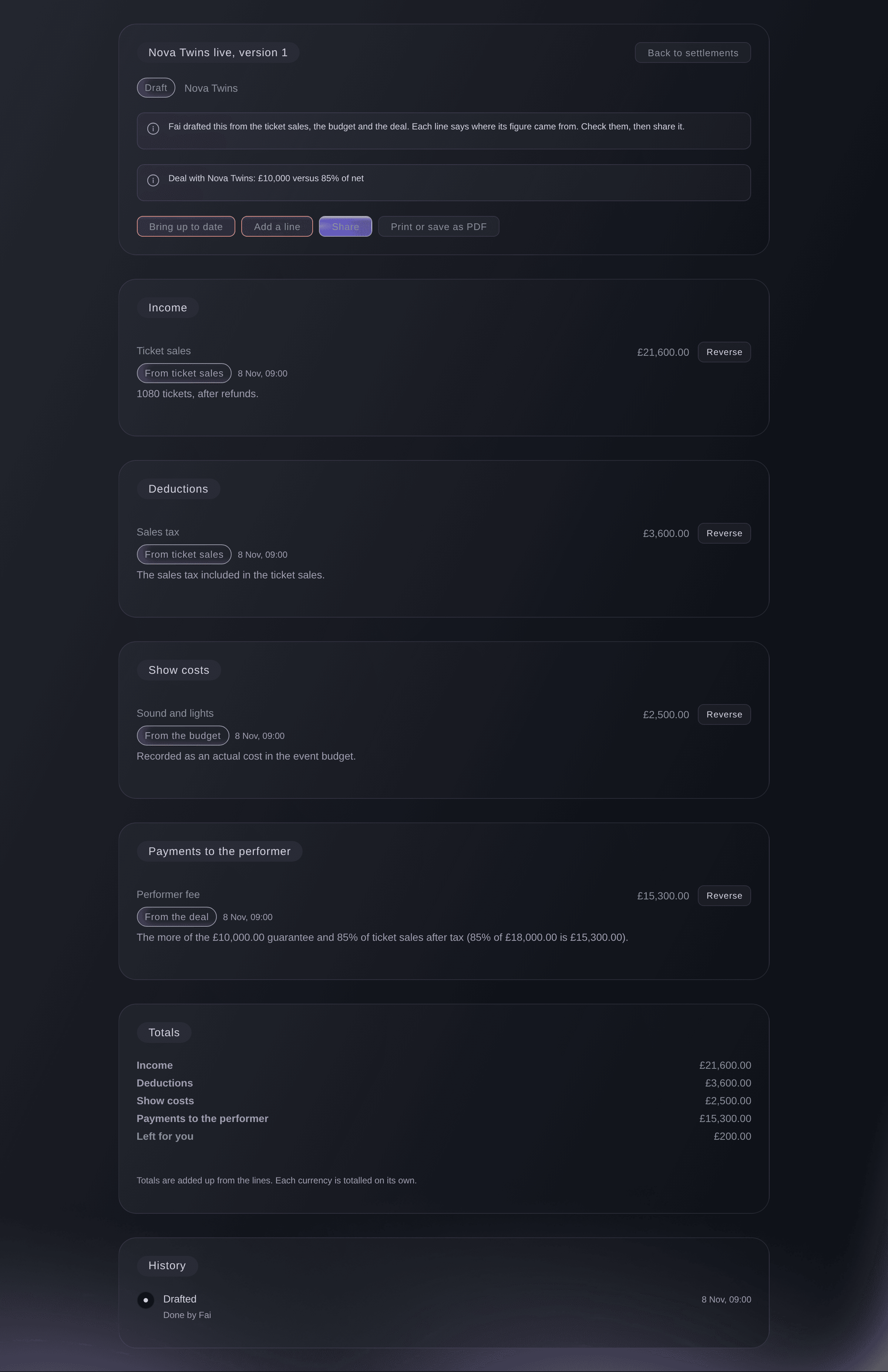
Fai drafts each settlement from your ticket sales, your costs and the deal, and each line shows how its figure was worked out. Add or reverse lines, share it with the artist's team and mark it agreed or paid.

  • Drafted settlements: from your ticket sales, costs and deal terms
  • Shared and agreed: share it, then mark it agreed and paid
Ticket Fairy Event Operating System: Settle each show faster, with figures the artist can check
Get this page as a PDF Read it later or share it with your team. We email you a link to the PDF.
What to put in your PDF

We will email you this deck. We may also email you now and then about Ticket Fairy features that can help your events. You can unsubscribe at any time with one click.

Go Deeper Into Contracts and Payments

See how your team does each job in the dashboard, set it up step by step and get answers to your questions.

  • Contracts & e-signature

    Draft contracts from your deals and get them signed by email with no account. Fai flags risky clauses and checks agent paperwork against your offer, and you send contracts and welcome packs in bulk.

  • Payments & settlement

    See each deposit, balance and supplier payment by due date, and check supplier invoices against your purchase orders. Settle each show from a draft built on ticket sales, budget costs and the deal.

Know where each deal, payment and budget line stands

  • Offers to agents

    Start from a template or your last offer, see what you paid before and the fee range Fai suggests, add the deposit, due dates, set length and agency fee, and email the offer.

  • Agent paperwork

    Match the agent's contract, invoice and riders to the offer, compare the terms and upload the countersigned copy.

  • Contracts signed online

    Send a contract by email. The other party signs without making an account, and you countersign.

  • Send several

    Send contracts to many performers, traders or suppliers from one template after one preview.

  • Document packs

    Send a welcome pack to performers, traders or crew, with files from Documents and each person's own day sheet, contract and rider.

  • Purchase orders

    Send a PO, match the invoice to it and count approved orders as committed costs.

  • Payments due

    See every deposit, balance, per diem, backline and supplier payment and when it is due.

  • Settlements

    Fai drafts each one from sales, costs and the deal, and each line shows how it was worked out.

  • Budget

    Compare planned and actual costs on each line, with committed costs and every act's all-in cost.

    Learn more about Budget & costs

  • Trader invoices

    Approve a trader and their invoice is ready, with your tax settings applied.

Questions About Contracts and Payments

Contracts & payments

A simple electronic signature. The signer confirms they agree and enters their name, and you countersign in the dashboard.

Not their own PDF. Sign it the way you usually do, then upload the signed copy, which marks the offer as contracted. For an act without an agent, send your own contract for signing online.

No. A deposit or balance invoice for a booking with one fee shows on that fee, and the amount is never counted twice in Payments due or the budget.

Yes. Each part fills in when the person opens their link, so a day sheet or contract you change later shows its latest version.

Yes. Select Pay with Vault and confirm the Vault transfer it opens. When the money has gone, mark the payment paid.

Reverse it. The reversal is added to the payment history, so you can always see what happened.

Ready to Build a Stronger Event Business?

Book a live demo, and we will set up your first event on the Event Operating System with your team.

Start Selling Tickets Online

Sign up without a credit card and build a test event before you commit. Go on sale in minutes when you are ready.

No monthly subscription required for ticketing
Start selling tickets immediately
Ticketing tools included in the service fee
Get Started for Free Talk to Fai Now

Ask Fai, our AI assistant, about Ticket Fairy’s features, pricing and how it could work for your event.

No credit card required

Book a demo call

See the referral model that drives 20% more ticket sales on average, learn which campaigns sell tickets, answer buyers faster and keep queues moving.

45-Minute Video Call
Pick a Time That Works for You

The Ticket Fairy, Inc. is a fintech company and technology platform. The Ticket Fairy, Inc. is not a bank, financial institution, or regulated financial services provider. Vault banking services are provided through regulated banking partners. Ticket Fairy Capital financing is provided by third-party private credit partners. The Ticket Fairy, Inc. does not make credit decisions, and all funding terms, approvals and conditions are determined by those lending partners.