Start each day knowing what needs doing

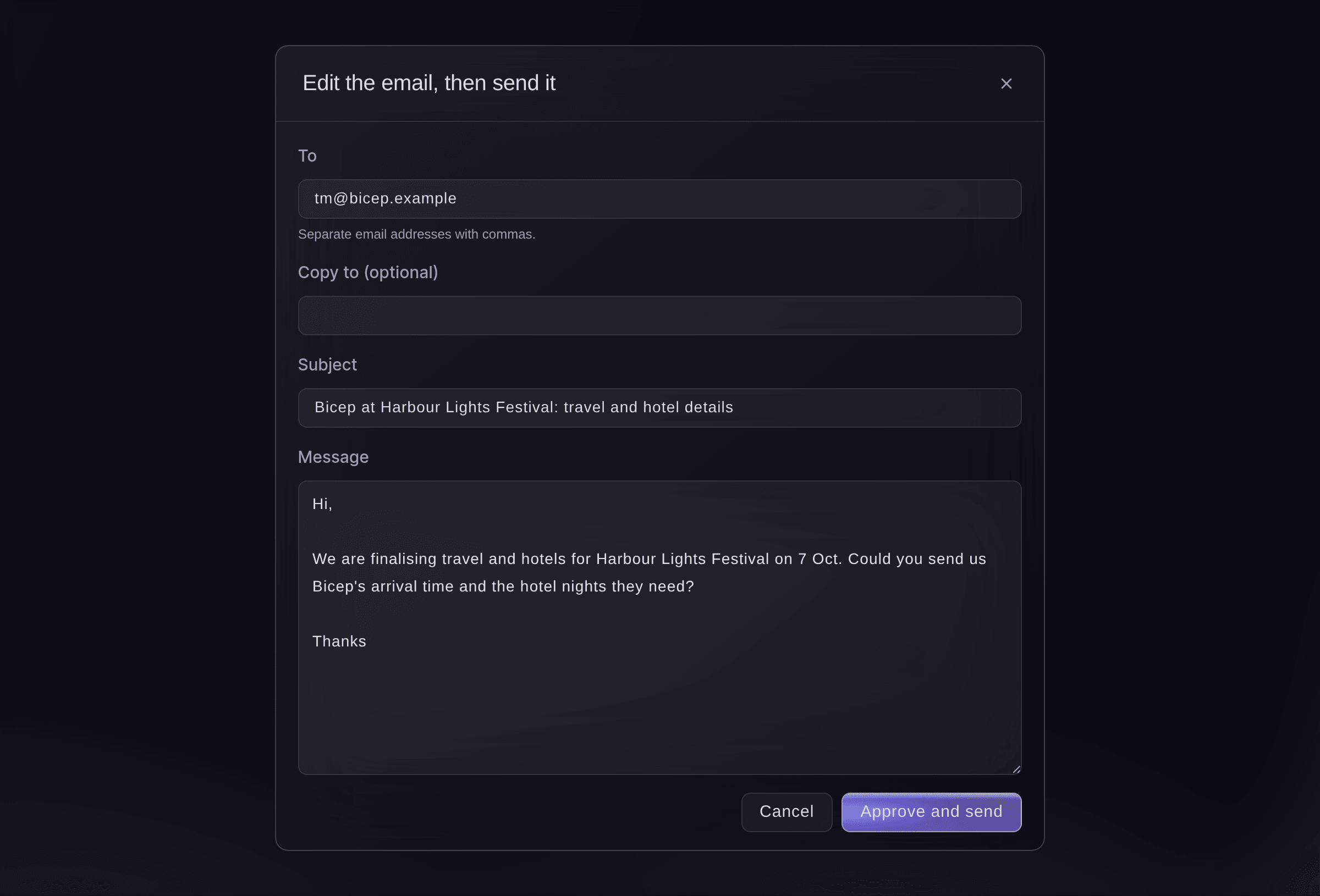
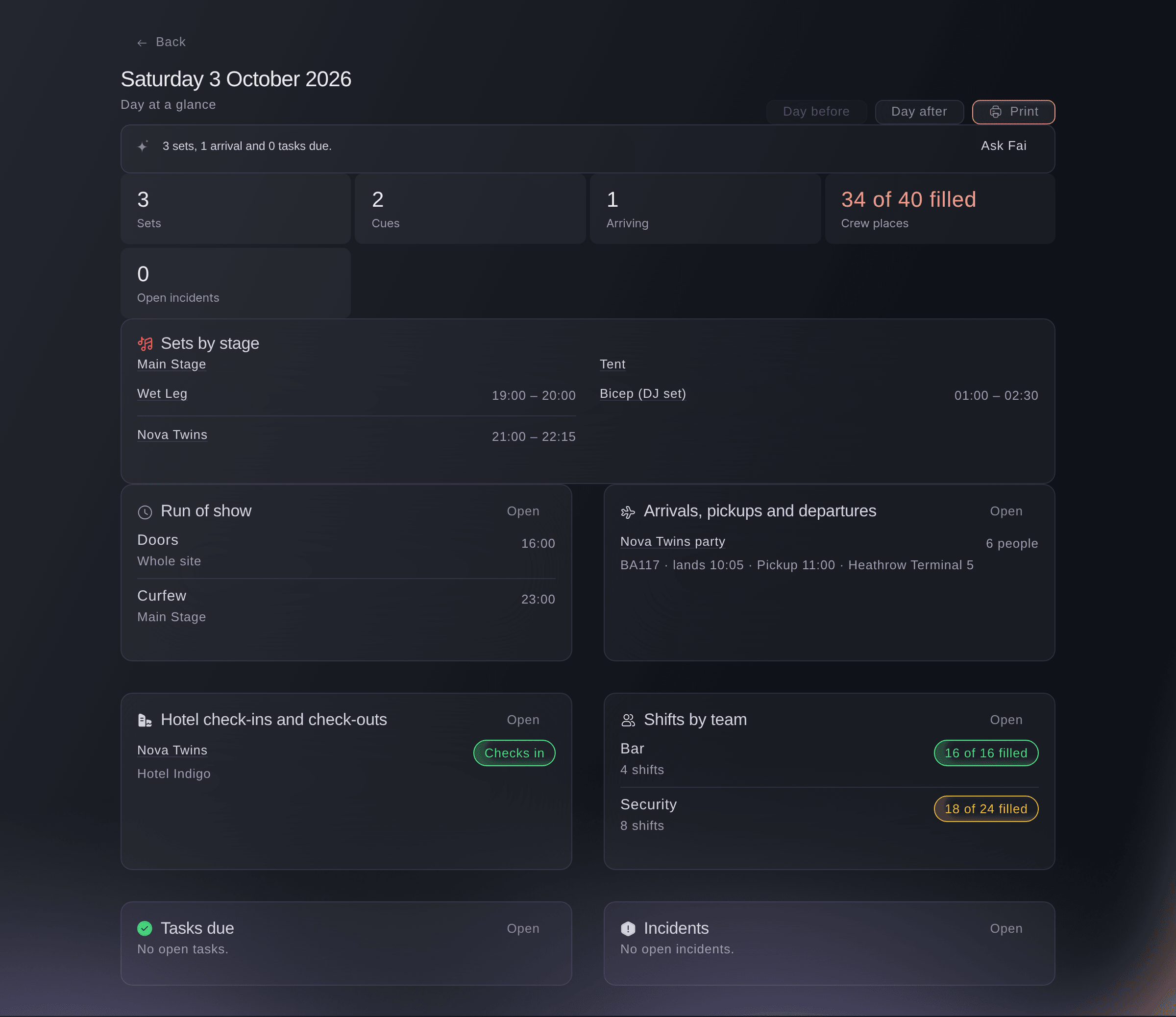
Each person opens their Today page to see the countdown to doors and what is waiting for them. Fai drafts the follow-up emails for you to approve.

Ticket Fairy Event Operating System: Planning
  • Everyone knows what needs them today
  • Less time on emails and tasks
  • Next edition set up from this one

Know what needs you the moment you sign in

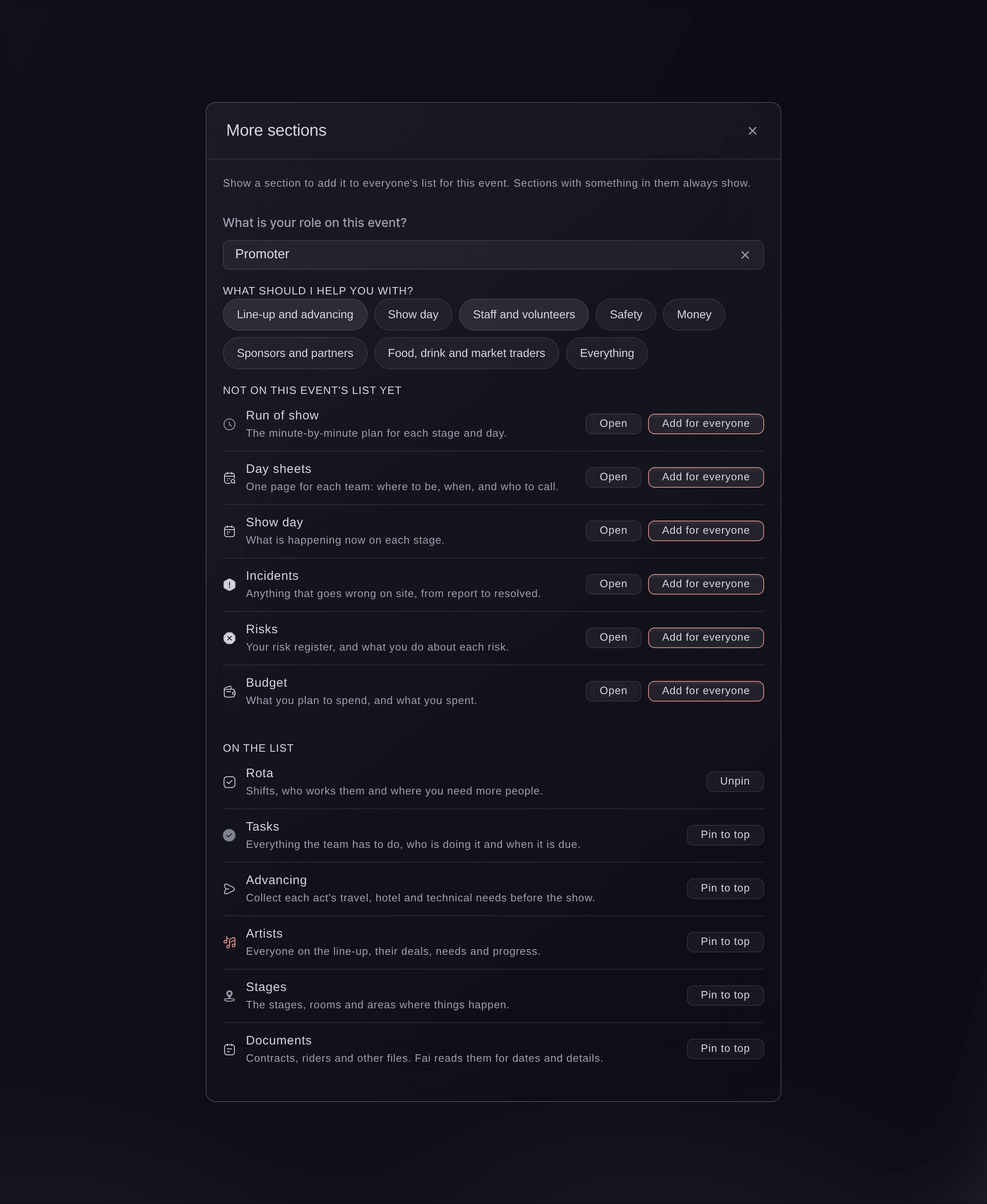
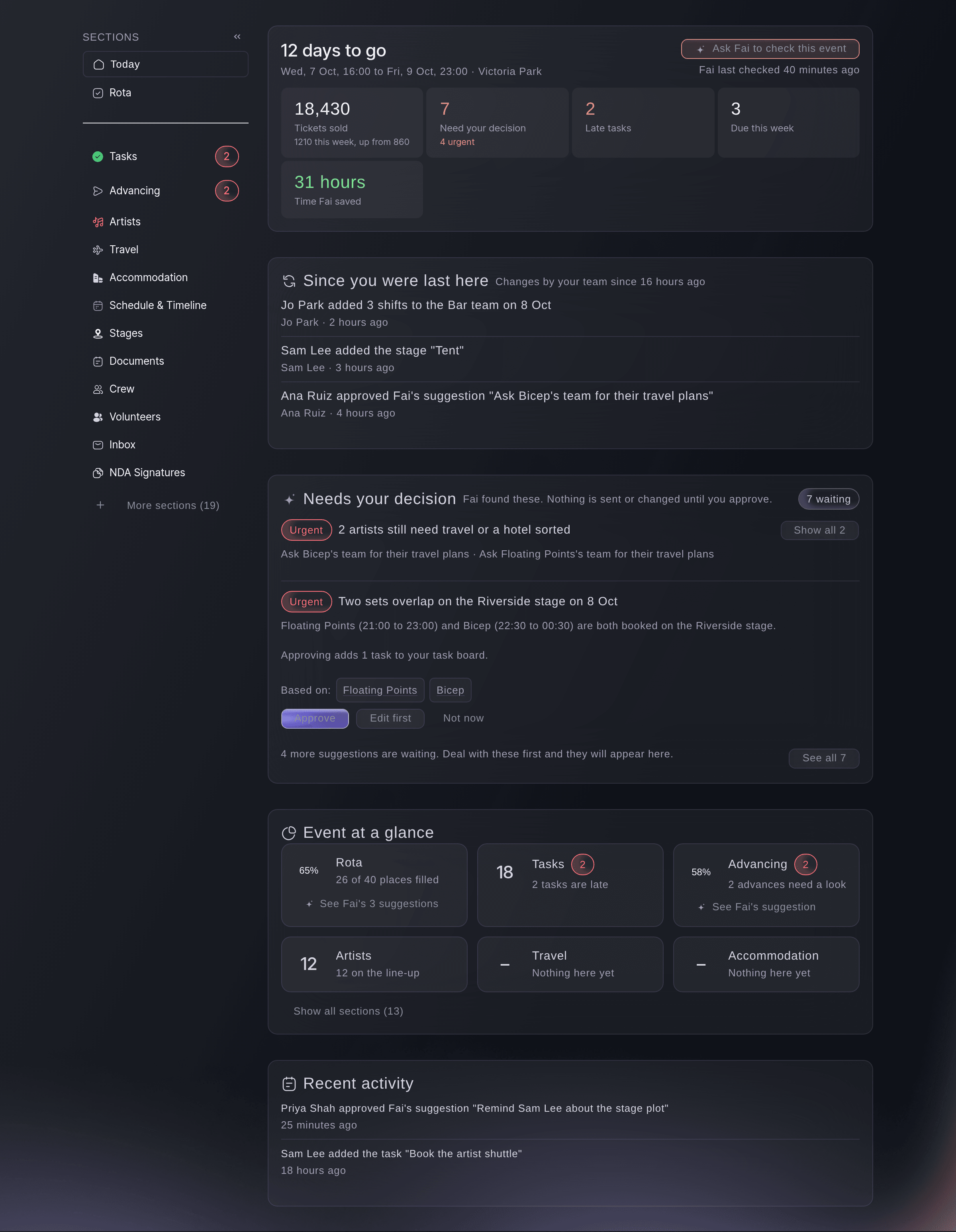
Your Today page shows the countdown to doors, the tasks and approvals waiting for you, what your team changed since you last looked and how each part of the event is going. The sections down the left follow the order an event runs, from Programme to After the show. The group for where your event is now opens first. Choose one or more event types, with your main one first, and the sections and their names follow. A conference shows Speakers, Rooms, an Agenda and Networking. A food or drink festival shows Vendors, Booths and Tastings, and a sports event shows Athletes, Venues and a Match schedule.

  • Today page: your tasks, your approvals and your team's latest changes
  • Sections for your kind of event: choose your event types, and you see the sections you need with the names your event uses
Ticket Fairy Event Operating System: Know what needs you the moment you sign in

Get through emails and tasks in less time

Your team starts from a draft instead of a blank page. Fai drafts the emails, tasks and updates your event needs from what is happening on it. Approve a draft as it is, change it first, put it off with Not now or turn it down. Each email goes out in your name, with your logo and colours from your brand kit.

  • Suggestions: approve, change, put off or turn down each draft
  • Emails in your name: your brand's name, logo and colours on each email
  • Hours Fai saved: see the hours Fai has saved your team on this event
Ticket Fairy Event Operating System: Get through emails and tasks in less time

Answer any question about an act, stage or day

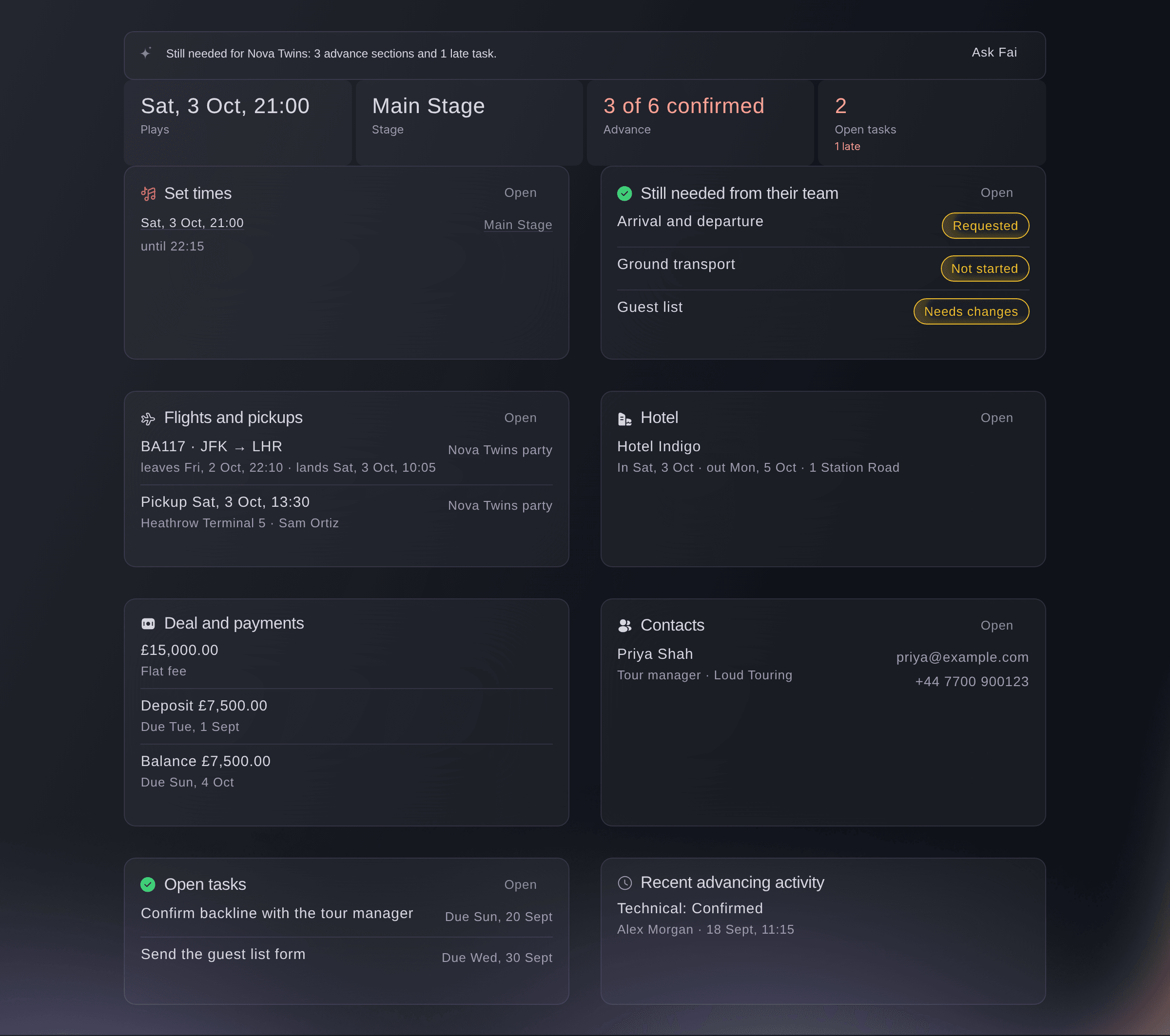
When your team asks about an act, a stage or a day, you have the answer in seconds. Press Ctrl+K or Cmd+K on any page to search your performers, stages, days, tasks, documents and sections. Each performer, stage and day has its own page with set times, the advance, travel, hotel, crew, tasks and dressing rooms.

  • Search: your whole event, from any page
  • Performer, stage and day pages: all the details for one act, stage or show day together
Ticket Fairy Event Operating System: Answer any question about an act, stage or day

Start next year's event from what worked this year

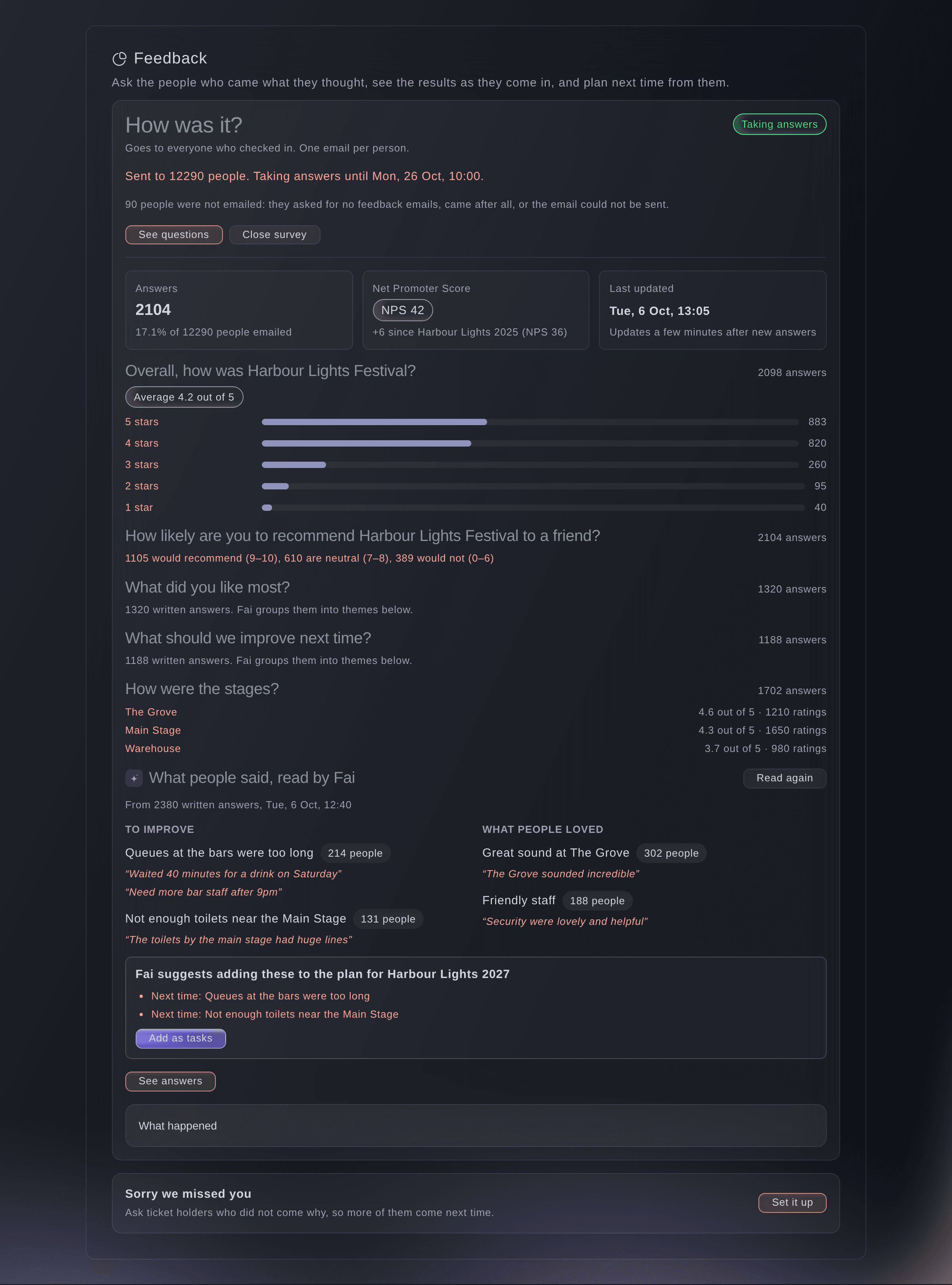
After the show, send a feedback survey to the people who checked in. See your Net Promoter Score beside your last edition, and let Fai group what people liked and what to improve. Turn the top things to improve into tasks on your next event. When you set that event up, copy the stages, teams, shifts, pass types, site map, hotel blocks, budget plan and forms from the last one, with the dates moved.

  • Feedback after the event: a survey for the people who came, with themes from Fai
  • Improvements as tasks: the top things to improve added to your next event
  • Copy from last event: see what each part adds before anything is copied
Ticket Fairy Event Operating System: Start next year's event from what worked this year

Give each person the dashboard their role needs

New team members get going on day one. Invite your security lead, box office manager or stage manager by the name of their role, and they start with the menu, permissions, Today page, Fai help and guides that role needs. Each person opens one link for all their shifts, desks, rounds, jobs and documents, whatever roles they hold.

  • Role kits: the menu, permissions, Today page and Fai help for each role
  • Invite by role: choose the role by its name when you invite a teammate
  • One link for each person: each desk, round, job and document their roles give them
Get this page as a PDF Read it later or share it with your team. We email you a link to the PDF.
What to put in your PDF

We will email you this deck. We may also email you now and then about Ticket Fairy features that can help your events. You can unsubscribe at any time with one click.

Go Deeper Into Planning

See how your team does each job in the dashboard, set it up step by step and get answers to your questions.

  • Today & tasks

    Start each day with your own priorities and put your team's jobs on one shared task board. Begin from Fai's readiness plan and share the work out before anyone burns out.

  • Inbox, calls & documents

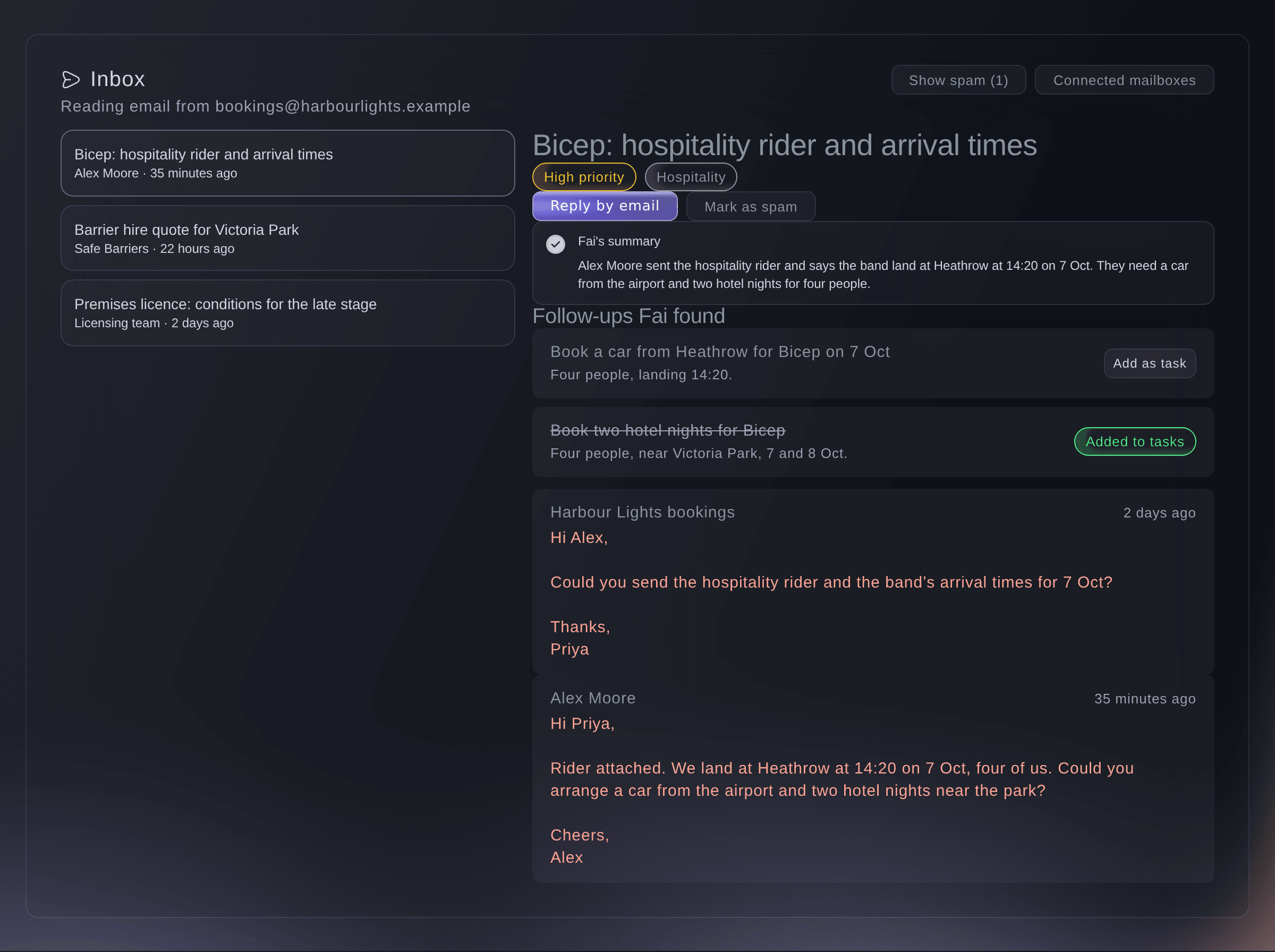
    See each email about the event with Fai's summary, and send her notetaker to your calls. Keep documents with their deadlines picked out, and send your team its lists on a schedule.

  • Next edition & feedback

    Survey the people who came, compare your score with last year, add the top fixes as tasks for next year and copy your last edition's setup into the new one with the dates moved.

Keep on top of tasks, documents, emails and calls

  • Tasks

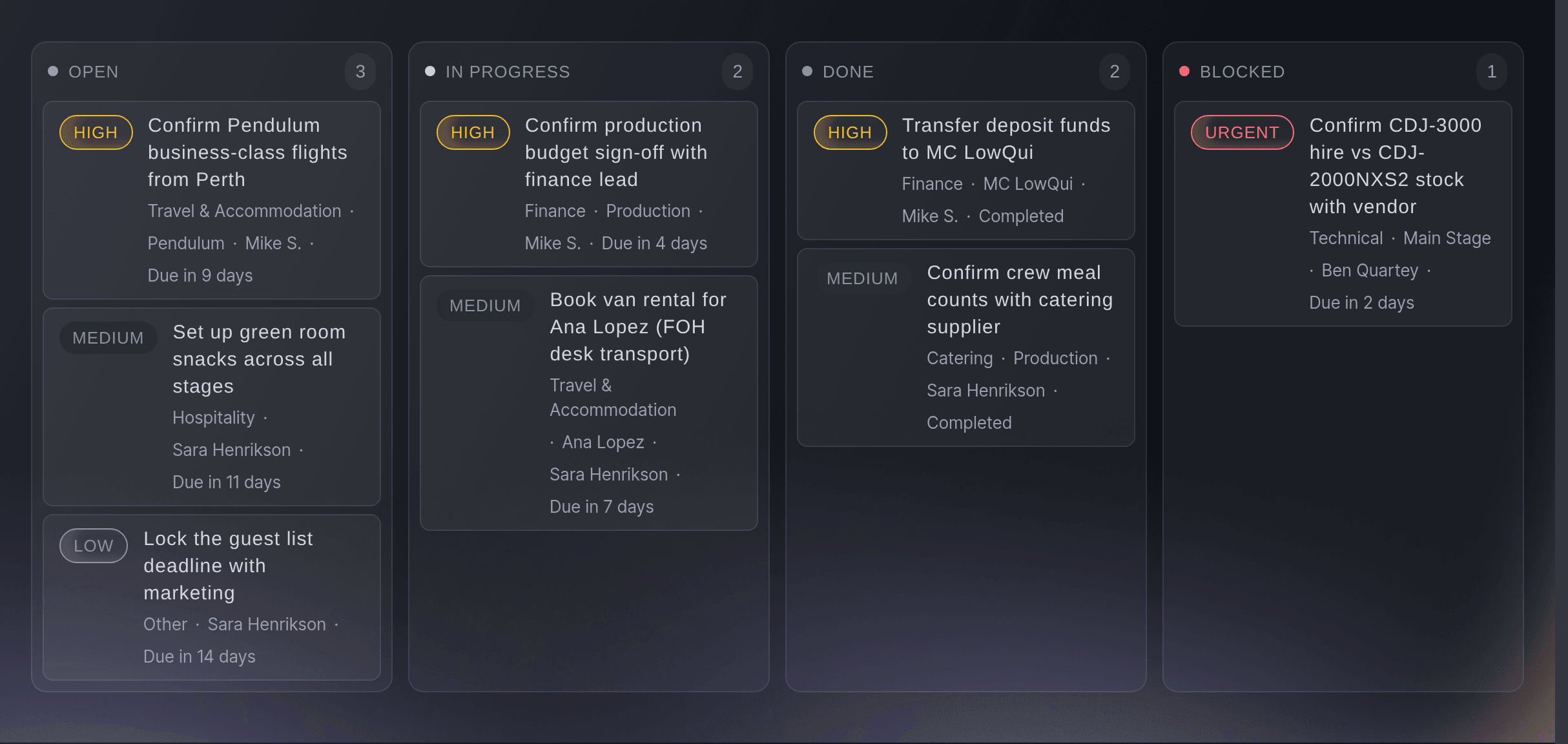
    See your tasks as a list, calendar, board or timeline, with owners, subtasks and the tasks each one waits on. Fai suggests tasks to add.

  • Team workload

    Enter how long each task takes, see each person's hours per day across tasks and shifts, and move a task to whoever has time.

  • Documents

    Keep your event documents together. Fai picks out the key dates, fees and anything you need to check in each one.

  • Event inbox

    Go through each email thread about your event with a summary from Fai, and turn any email into a task.

  • Meeting notetaker

    Send Fai's notetaker to your Zoom, Meet or Teams calls and get the summary and follow-ups on the event.

  • Approvals

    Set rules for who approves passes, equipment orders and deliveries. Approvers outside your event team decide from a link in their email.

  • How your emails look

    Each email you send from the Event Operating System uses your brand kit, and you see a preview before you change anything.

  • Copy from last event

    Bring the setup of an earlier event into a new one, with the dates moved.

  • Feedback

    Send a survey to the people who checked in, see ratings for each stage, act and trader, and read Fai's themes.

  • Team lists on a schedule

    Email your team the shifts, run of show, advancing status, rooming list or pickups every day or every week.

  • Owners and your work

    Give a stage, act, task, sponsor or other record an owner, and each person sees what is theirs on their Today page.

  • See who is editing

    When a teammate has the same record open, you see their name while you edit, so you do not overwrite each other's work.

  • Version history

    See who changed a stage, task, sponsor or other record and when, and restore an earlier version. Restoring adds a new version, so nothing is lost.

  • My tasks across events

    See the tasks assigned to you or watched by you across your brand's events, and open any task on its event.

  • Lists as spreadsheets

    Download your artists, crew, volunteers, sponsors, exhibitors, press and other lists as a spreadsheet file.

  • Sections for your event type

    Choose one or more event types, with your main one first. Each type shows the sections it needs, named the way that kind of event names them.

  • Role kits

    Invite teammates by their role, such as security lead or stage manager, and they start with the menu, Today page, Fai help and guides for that role.

Questions About Planning

Planning

No. Fai puts her drafts in your suggestions, and a member of your team approves, changes or turns down each one before anything is sent. You can also turn off Fai's drafting for an event.

Yes. When you reply, your own email app opens, so the reply comes from your own address. Our support team connects your event mailbox for you.

Each scheduled file holds up to 5,000 rows. You can set up to 20 schedules with up to 10 people on each, and each person gets a sign-in link to the file rather than an attachment. The file stays available for 7 days.

People and their answers, bookings, applications, sales, money spent, messages sent, links and codes. Copying only adds: what the new event already has stays as it is, and copying twice never adds the same thing twice.

Only people who checked in. You can also send a short survey to ticket holders who did not come. Each person gets one email with their own link, in the language they bought in.

You see a teammate's name while they have the record open. If they save first, you see their version and keep it, or for most records apply your changes again on top of it. Version history keeps each earlier version for you to restore.

Only when you tick the box to include them. Ticket Fairy makes the file and records each download.

Yes. Your event types decide which sections show and what they are called. A concert, club show, comedy show or festival shows Artists, Stages and a schedule. A conference or technology event shows Speakers, Rooms, an Agenda, Event staff, Applications, Exhibitors and Networking. A convention shows Special guests, Rooms, an Exhibitor hall and Networking. A food, drink or culinary festival shows Vendors, Booths and Tastings. A film festival or screening shows Filmmakers, Cinemas and Screenings. A sports, esports or gaming event shows Athletes, Venues and a Match schedule. A business or corporate event shows Speakers and guests, an Agenda and Networking. Choose more than one type and you get the sections of each, named the way your main type names them.

The event's owners and admins can, from the Set up menu. It is the same event type as in Event Details, and your sections change as soon as you save.

It sets the menu the person sees, what they are allowed to do, their Today page, the help Fai gives them and the guides for their work. Invitations offer each role by its name.

Yes. Music festival management teams plan the line-up, crew, traders and site from the same event as the tickets. A festival's dashboard shows the sections a festival needs, and a conference or a sports event gets its own.

Ready to Build a Stronger Event Business?

Book a live demo, and we will set up your first event on the Event Operating System with your team.

Start Selling Tickets Online

Sign up without a credit card and build a test event before you commit. Go on sale in minutes when you are ready.

No monthly subscription required for ticketing
Start selling tickets immediately
Ticketing tools included in the service fee
Get Started for Free Talk to Fai Now

Ask Fai, our AI assistant, about Ticket Fairy’s features, pricing and how it could work for your event.

No credit card required

Book a demo call

See the referral model that drives 20% more ticket sales on average, learn which campaigns sell tickets, answer buyers faster and keep queues moving.

45-Minute Video Call
Pick a Time That Works for You

The Ticket Fairy, Inc. is a fintech company and technology platform. The Ticket Fairy, Inc. is not a bank, financial institution, or regulated financial services provider. Vault banking services are provided through regulated banking partners. Ticket Fairy Capital financing is provided by third-party private credit partners. The Ticket Fairy, Inc. does not make credit decisions, and all funding terms, approvals and conditions are determined by those lending partners.