Fill your site with the right mix of traders

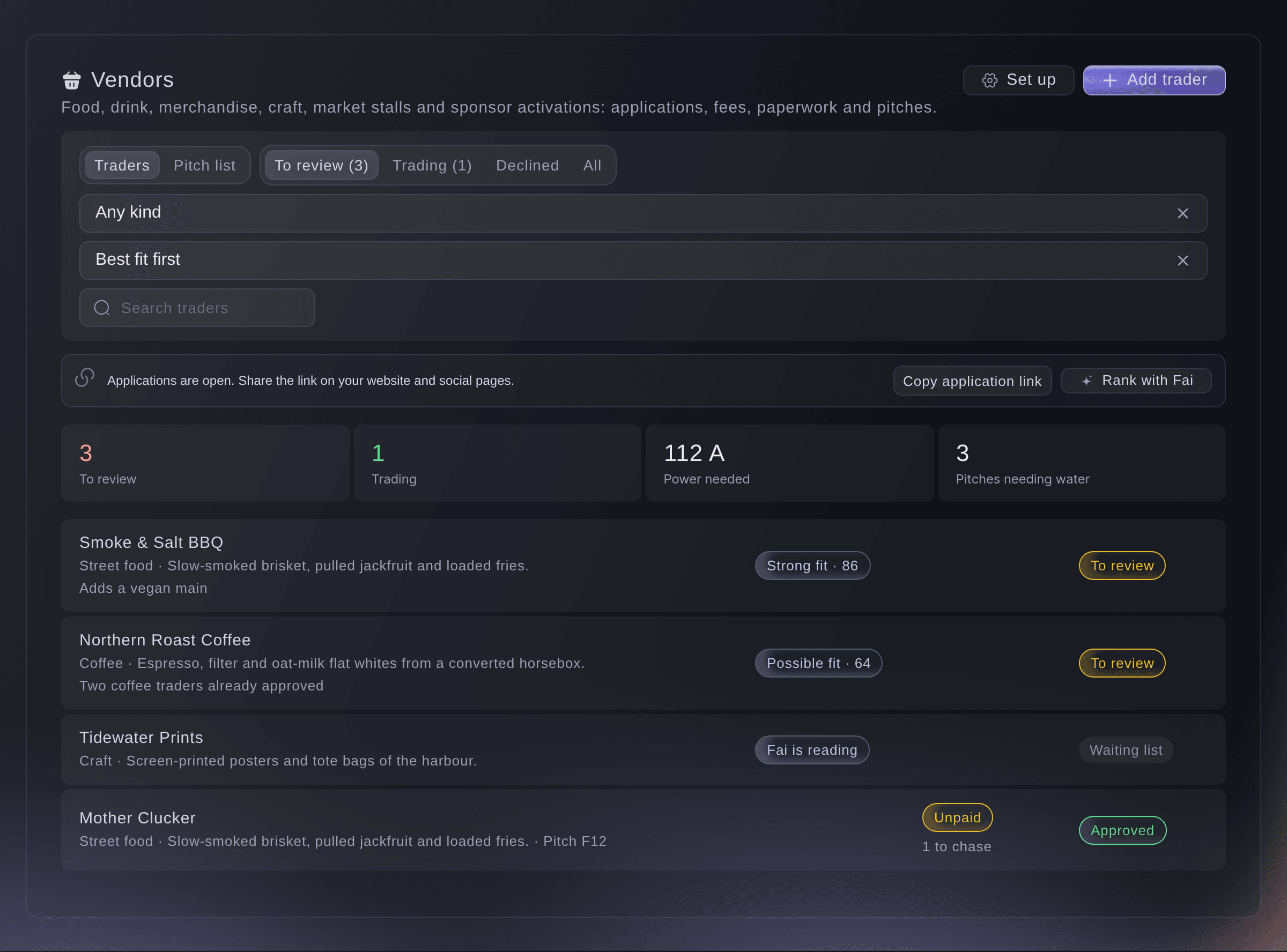
Fai ranks trader applications against the mix you want, and you approve the best. Each trader pays and books their load-in time on their own page.

Ticket Fairy Event Operating System: Traders & markets
  • The right trader mix, ranked by Fai
  • Paperwork and payments in before load-in
  • Your share of sales worked out

Choose the right traders and have them ready for load-in

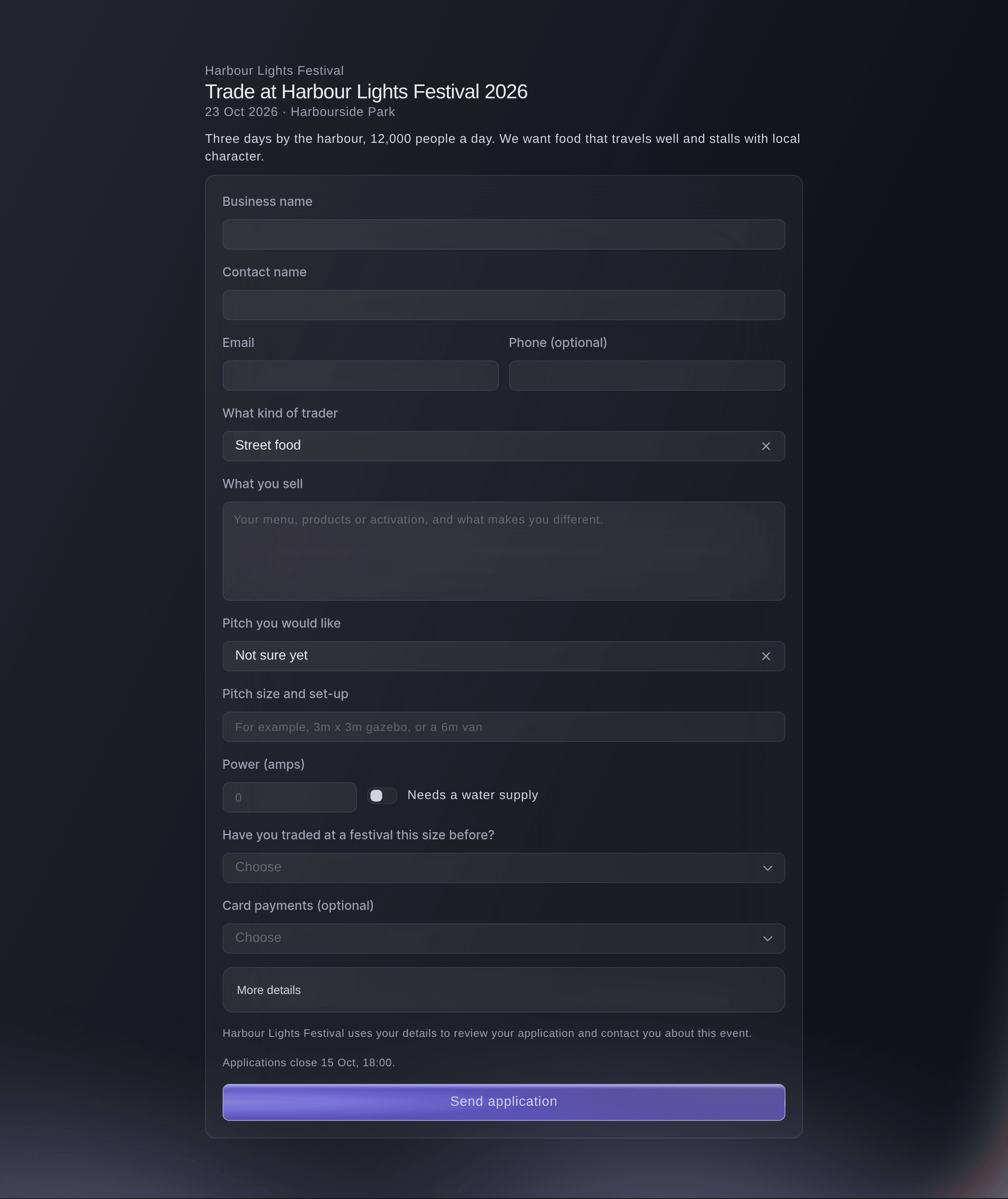
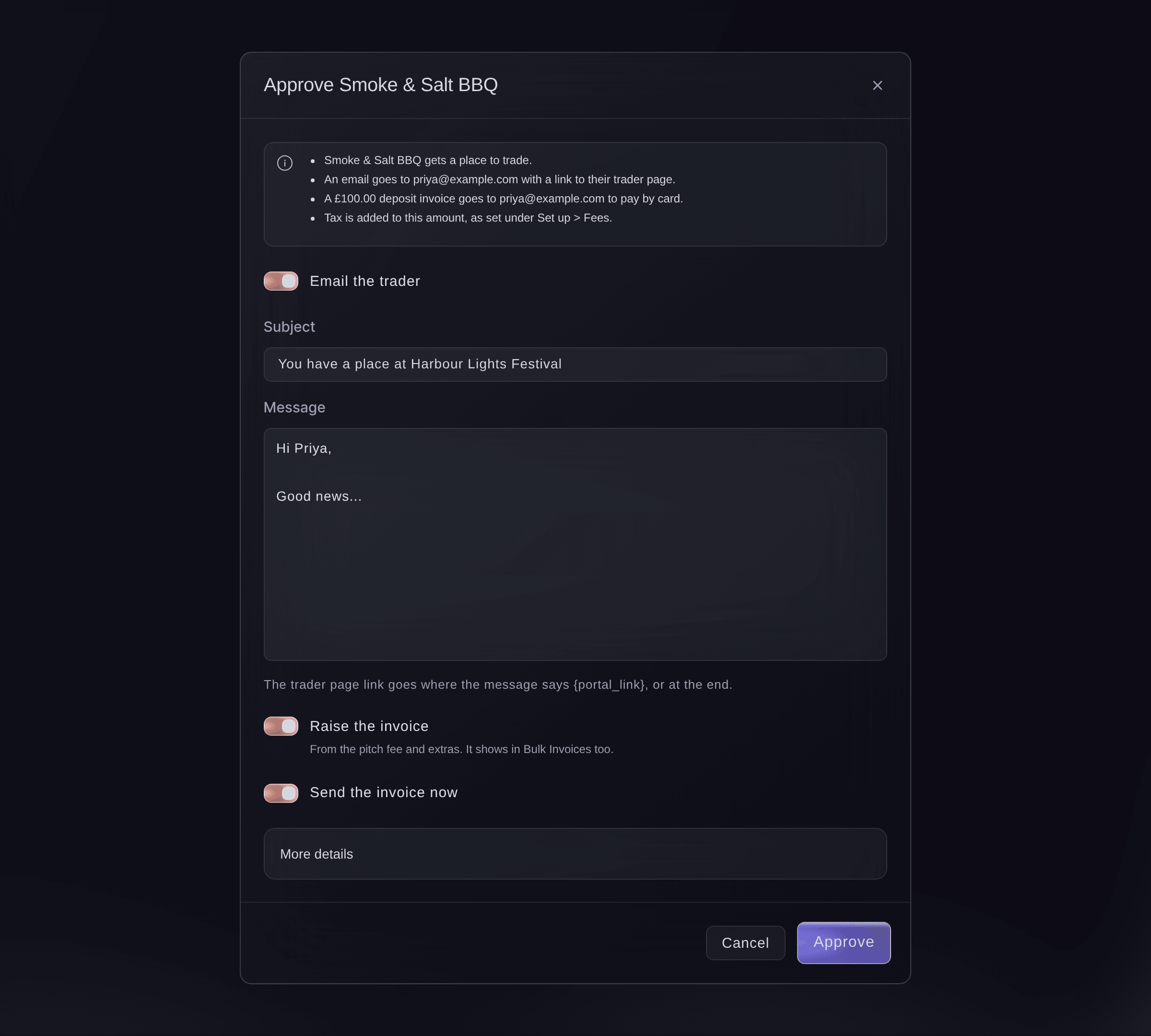
Traders apply on your public application page, which shows your fees and tax. Fai ranks them against the mix you want, and you approve, waitlist or decline each one. When you approve a trader, their invoice is ready and they get their own page. There they accept your terms, pay, book a load-in time, name their staff and upload certificates. One application can cover all dates of a market series, and you decide each date on its own.

  • Trader applications: a public page with your fees and tax
  • Ranked by Fai: against the mix of traders you want
  • Trader page: terms, invoice, load-in time, certificates and staff
Ticket Fairy Event Operating System: Choose the right traders and have them ready for load-in

Put each trader on your site map and your website

Drag each approved trader onto a pitch on your site map. Their trader page then shows their pitch, a small map around it and their load-in time. Load-ins appear on the run of show. Your electrician gets an up-to-date power sheet for each zone, with each trader's power and water. Traders enter their own listing for your public trader directory, and you check and publish it. Add the directory to your website, with filters.

  • Pitches on your site map: each trader sees their own pitch
  • Power sheets: a private link for your electrician
  • Trader directory: on your website, with filters by what traders sell
Ticket Fairy Event Operating System: Put each trader on your site map and your website

Invoice your share of sales from takings you can check

Traders declare their takings on their own page, with their till or card machine report. Fai checks the report and tells you whether it matches the figure they entered. You accept it or ask the trader about it. Your share is the pitch fee's percentage of sales, raised to its minimum fee or lowered to its maximum. Send the invoice through Bulk Invoices.

  • Takings with evidence: the till or card machine report on each declaration
  • Checked by Fai: you accept the figure or ask about it
  • Minimum and maximum fees: applied to each trader's share of sales
Ticket Fairy Event Operating System: Invoice your share of sales from takings you can check

Place traders by your own pitch rules

Enter your pitch rules the way you would say them, such as keeping the coffee vans apart or the fire lane clear. The pitch check shows each pitch that breaks a rule. Fai plans pitches for the traders still without one. Traders ask to move from their own page, and you answer.

  • Pitch rules: in your own words, understood by Fai
  • Fai's pitch plan: free pitches that keep all your rules, for you to approve
  • Move requests: traders ask, you move them or say no with a note
Ticket Fairy Event Operating System: Place traders by your own pitch rules
Get this page as a PDF Read it later or share it with your team. We email you a link to the PDF.
What to put in your PDF

We will email you this deck. We may also email you now and then about Ticket Fairy features that can help your events. You can unsubscribe at any time with one click.

Go Deeper Into Traders and Markets

See how your team does each job in the dashboard, set it up step by step and get answers to your questions.

  • Applications & load-in

    Take trader applications with your fees and tax shown, let Fai rank them against your mix, and approve with the invoice ready. Each trader then pays, sends their certificates, books load-in and appears on your website.

  • Pitches & takings

    Put traders on your site map by rules in plain words and share a live power sheet with your electrician. Invoice your share of sales from takings Fai has checked.

Take each trader from application to final invoice

  • Trader applications

    Take applications with your pitch fees, extras such as power and water, and tax. Fai ranks them with plain reasons.

  • Invoices

    Approve a trader and their invoice comes from your fee table, paid through your event's own payment account.

  • Trader page

    Each trader keeps their details, menu and staff up to date, accepts your terms, pays and books load-in.

  • Staff passes

    A pitch fee can include staff passes, and an extra adds more. Traders name their own staff.

  • Vehicle passes

    Traders book each vehicle into an arrival time and show the gate code when they arrive.

  • Certificates

    Fai finds the expiry dates on trader certificates and suggests reminders for missing or expiring ones.

  • Pitches

    Place traders on the site map, with load-in times on the run of show.

  • Power sheets

    Share each zone's power and water with your electrician by a private link.

  • Trader directory

    Publish the listings you check and embed the directory on your website, with filters by what traders sell.

  • Takings and share of sales

    Check declared takings with Fai and invoice your share through Bulk Invoices.

  • Market series

    Take one application for several dates and decide each date on its own.

  • Pitch rules and Fai's plan

    Check each pitch against your rules and let Fai place the traders still without a pitch.

  • Move requests

    Traders ask to move from their trader page, and each new pitch is checked against your rules.

Questions About Traders and Markets

Traders & markets

No. Fai ranks applications against the mix you describe, with plain reasons. Your team approves, waitlists or declines each one.

No. A listing holds only the name, what they sell, the kind of trader, the words people filter by, a website and an Instagram name.

No. Fai checks the reports and tells you whether they match the figure the trader entered. You accept the figure or ask the trader about it.

Yes. One application can cover several dates of a market series. You approve or decline each date on its own. On their page, the trader can say they cannot trade on a date.

No. Each pitch on the map holds one trader. If two traders share a space, draw two areas side by side.

As many as their staff passes allow. A pitch fee can include staff passes, and an extra adds more.

Ready to Build a Stronger Event Business?

Book a live demo, and we will set up your first event on the Event Operating System with your team.

Start Selling Tickets Online

Sign up without a credit card and build a test event before you commit. Go on sale in minutes when you are ready.

No monthly subscription required for ticketing
Start selling tickets immediately
Ticketing tools included in the service fee
Get Started for Free Talk to Fai Now

Ask Fai, our AI assistant, about Ticket Fairy’s features, pricing and how it could work for your event.

No credit card required

Book a demo call

See the referral model that drives 20% more ticket sales on average, learn which campaigns sell tickets, answer buyers faster and keep queues moving.

45-Minute Video Call
Pick a Time That Works for You

The Ticket Fairy, Inc. is a fintech company and technology platform. The Ticket Fairy, Inc. is not a bank, financial institution, or regulated financial services provider. Vault banking services are provided through regulated banking partners. Ticket Fairy Capital financing is provided by third-party private credit partners. The Ticket Fairy, Inc. does not make credit decisions, and all funding terms, approvals and conditions are determined by those lending partners.