Get every shift covered by the right people

Fai finds the people who fit each open shift, you send them offers, and the first to accept takes the place. Send volunteers guest tickets for the hours they give.

Ticket Fairy Event Operating System: Crew & volunteers
  • Open shifts filled by people who fit
  • One page for each person's shifts
  • Guest tickets for volunteers' hours

Fill the gaps in your rota before show day

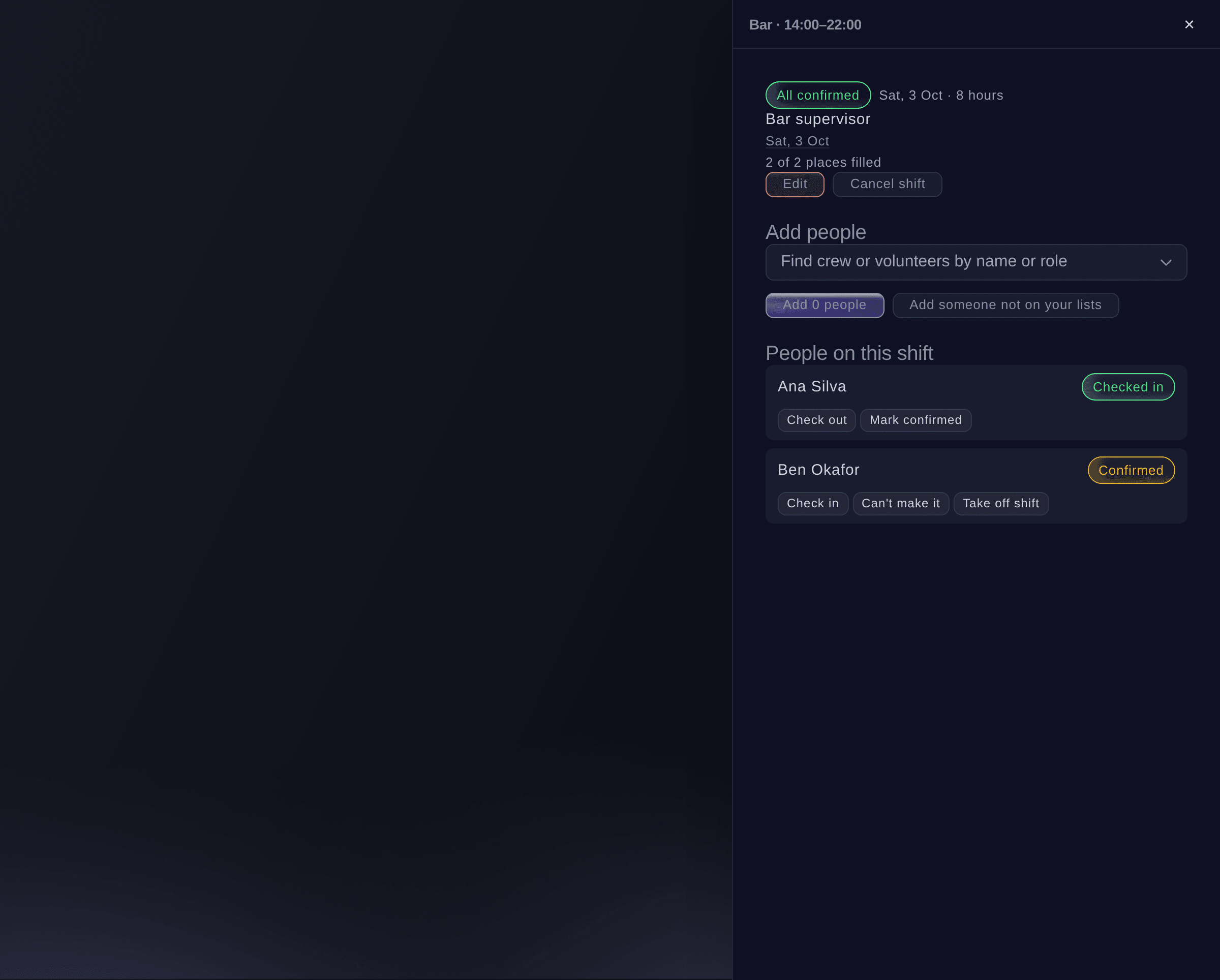
See where you are short while there is still time to fix it. Plan shifts by team and see how many places are filled for each team and hour. For each open shift, Fai lists the people who fit. They are free at all your events, rested and old enough, with the skill you need and within the hours you set. Send offers, and the first person to accept takes the place.

  • Cover by team and hour: places filled and places still open
  • Shift offers: the first to accept takes the place
  • Shift rules: the rest breaks and working hours you set
  • Still coming?: Fai asks the day before and offers any freed place
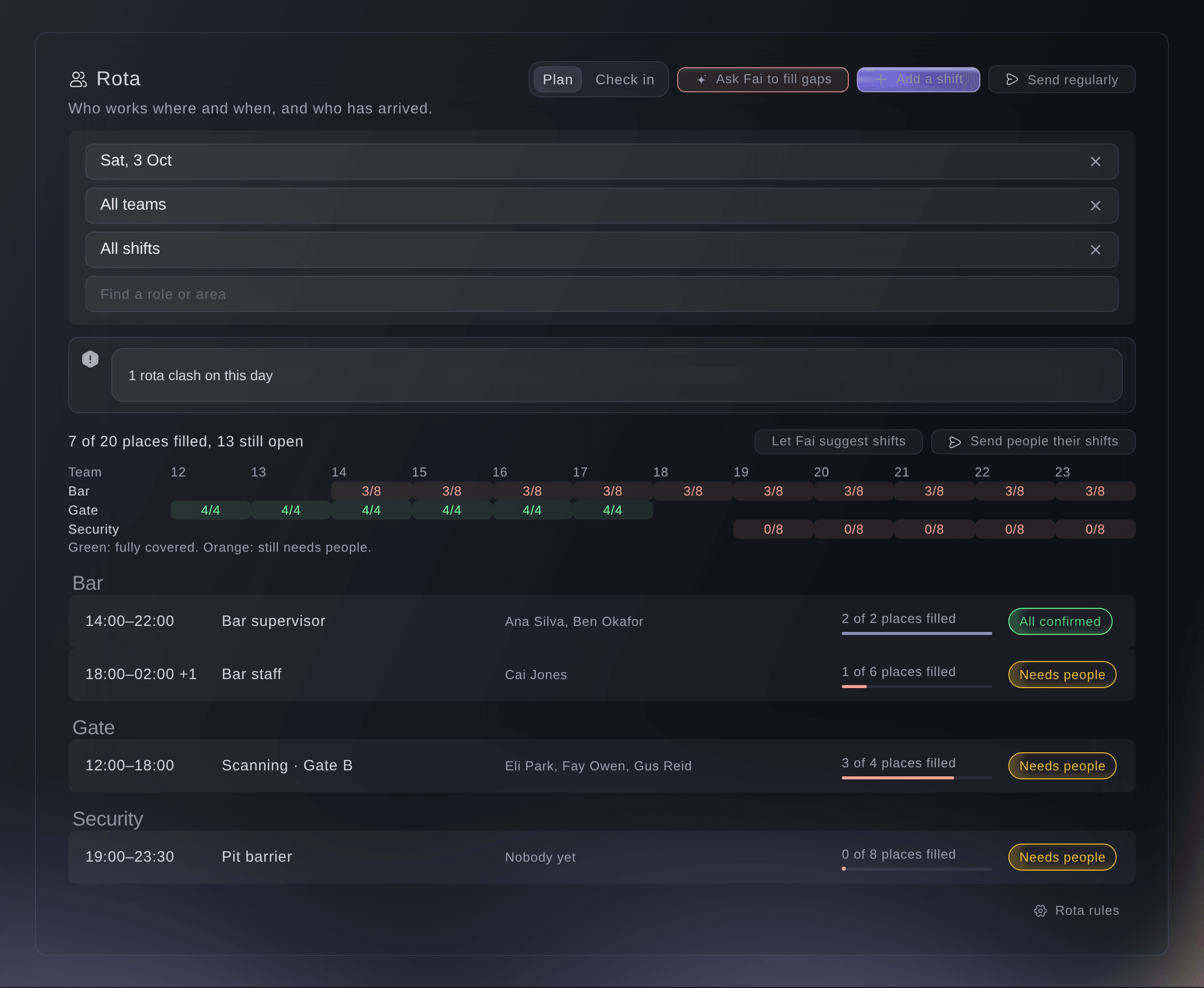
Ticket Fairy Event Operating System: Fill the gaps in your rota before show day

Build a crew you can call on again

Know who you can count on before you send a single offer. The People tab of your brand's Event Operations lists everyone who has worked or volunteered at your events. See their events, the shifts they worked, the times they did not arrive and their skills. Each person gets a My shifts page for all your events. There they accept offers, say which days they can work and add shifts to their calendar.

  • People: everyone who works your events, with their record
  • Skills: added by your team, with suggestions from Fai
  • My shifts page: each shift at all your events, no account needed
Ticket Fairy Event Operating System: Build a crew you can call on again

Recruit all the volunteers you need

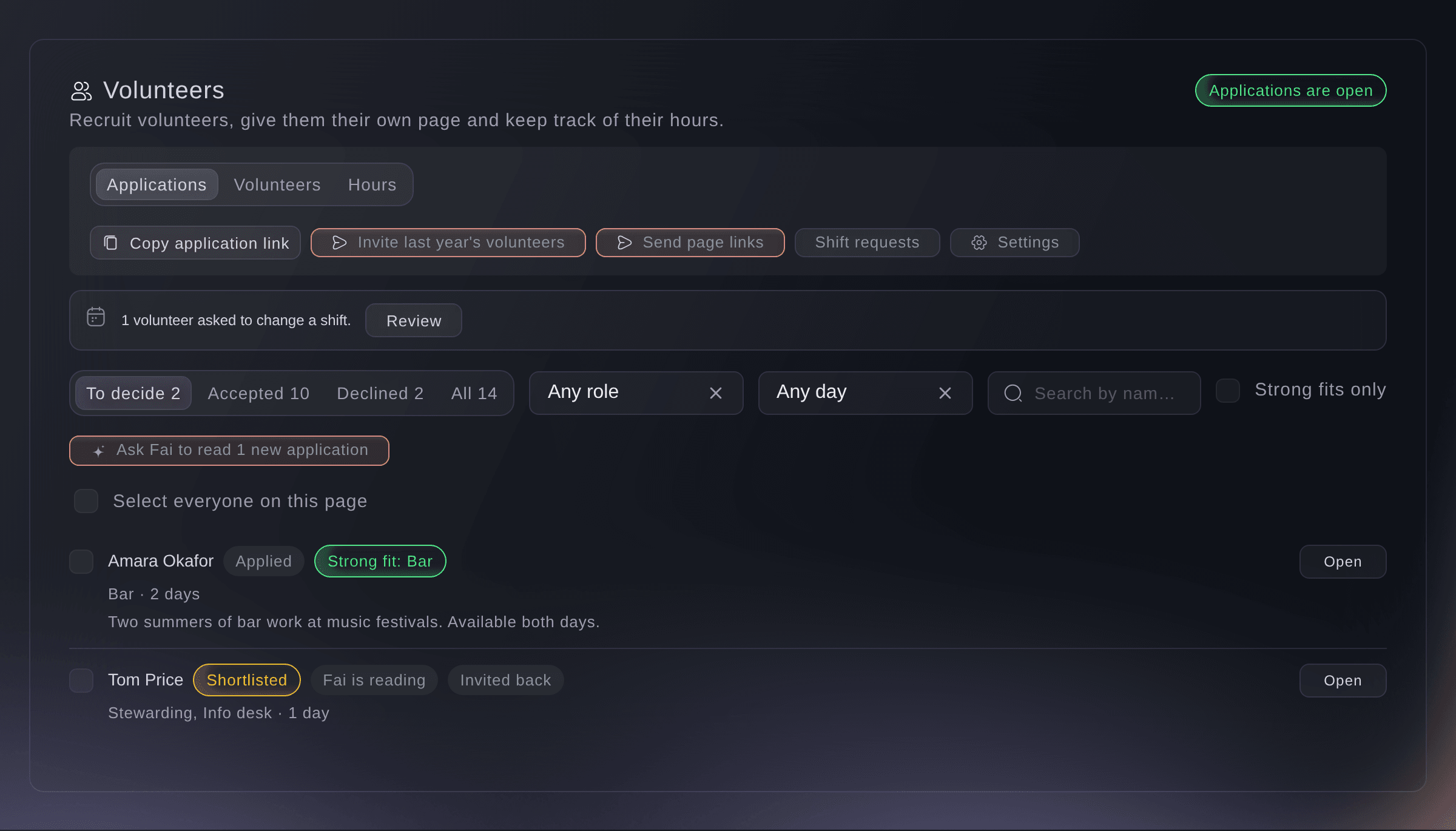
Make it easy to apply and quick to decide. Volunteers apply from a form made for their phone, and Fai checks each applicant against your roles. You accept, waitlist or decline them in batches, with one email to each person. Invite last year's volunteers back with their answers already filled in.

  • Application form: made for phones
  • Checked by Fai: each applicant compared with your roles
  • Returning volunteers: invited back with their answers filled in
Ticket Fairy Event Operating System: Recruit all the volunteers you need

Look after your volunteers so they come back next year

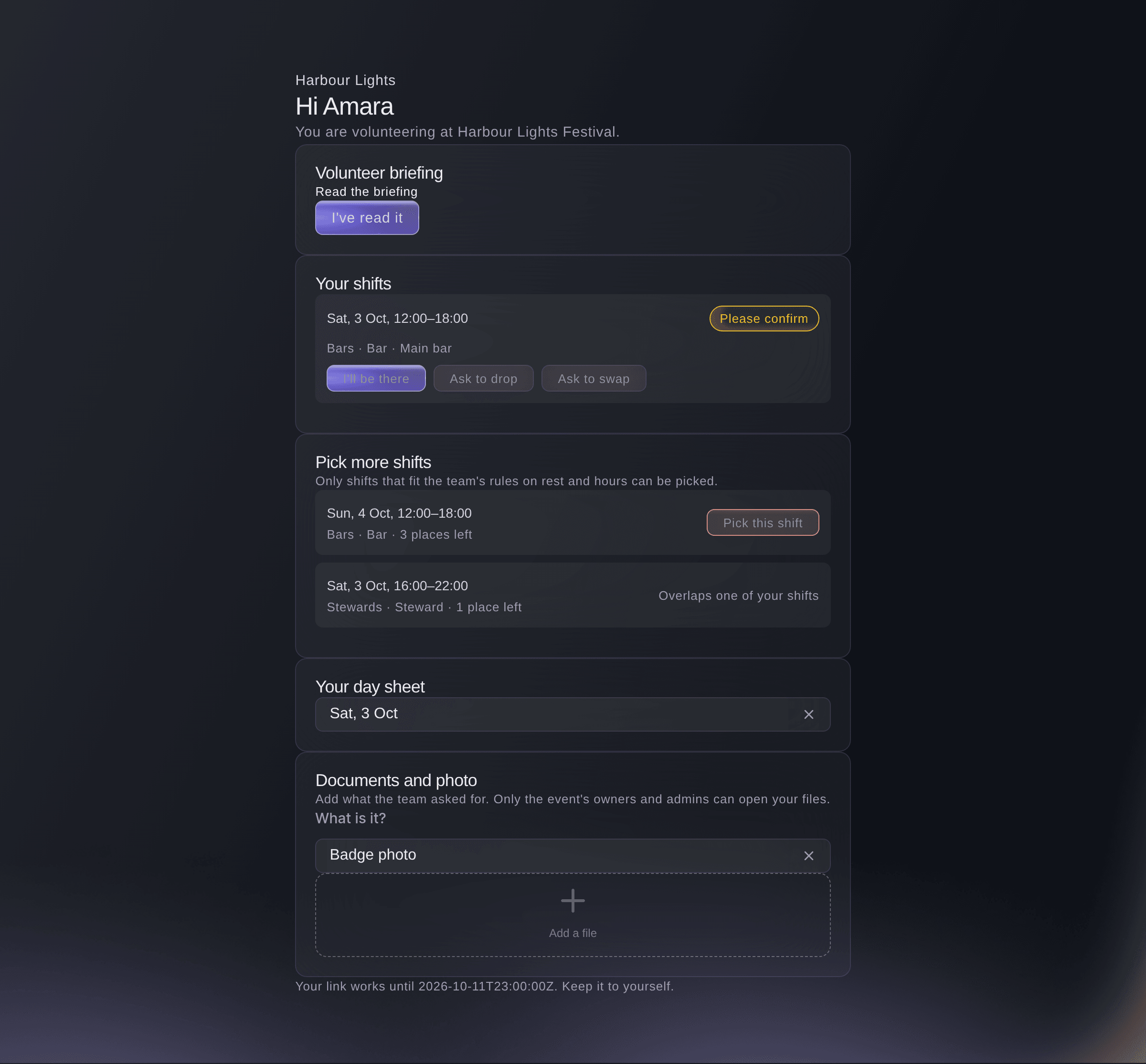
Give volunteers what they need for the day and a reward for their time. Each volunteer gets a private page to pick shifts, ask to swap or drop one, open their day sheet and induction, and upload documents. Compare the hours each volunteer signed up for with the hours they worked, and send the guest tickets they earned.

  • Volunteer page: shifts, swaps, day sheet and documents
  • Hours: hours signed up for beside hours worked
  • Rewards: guest tickets for the volunteers who earned them
Ticket Fairy Event Operating System: Look after your volunteers so they come back next year

Approve hours fast and check each agency invoice

Pay for the hours people worked, and only those. You approve each person's hours from when they were checked in and out of their shifts. Fai checks each line first, so you approve the lines with nothing odd in one go and fix the rest with a reason. Department leads approve their own team's hours from their phone. Hours by outside team shows what each agency's people worked and cost, so you can check the invoice.

  • Hours approval: each line checked by Fai first
  • Department leads: approve their team's hours on their My shifts page
  • Hours by outside team: check an agency's invoice against hours worked
Ticket Fairy Event Operating System: Approve hours fast and check each agency invoice
Get this page as a PDF Read it later or share it with your team. We email you a link to the PDF.
What to put in your PDF

We will email you this deck. We may also email you now and then about Ticket Fairy features that can help your events. You can unsubscribe at any time with one click.

Go Deeper Into Crew and Volunteers

See how your team does each job in the dashboard, set it up step by step and get answers to your questions.

  • Rota & hours

    Cover each team and hour, fill gaps with people who fit, find drop-outs the day before, and approve hours from your crew's check-ins.

  • Crew & volunteer teams

    Keep one record for each person who works your events, and recruit volunteers on a phone form Fai sorts for you. Give each volunteer a private page and reward their hours.

Staff your shifts, check crew in and reward volunteers

  • Crew and teams

    Keep your crew list with teams and their leads.

  • Shifts

    Plan shifts, see cover by team and hour, and get clash warnings and suggestions from Fai.

  • Shift offers

    Offer open shifts to the people Fai finds, in batches, and let the first to accept take the place.

  • People across your events

    One record for each person who works your events, with shifts worked, skills and a confirmed age.

  • My shifts page

    Each person sees their shifts at all your events, accepts offers and adds shifts to their calendar.

  • Check-in and check-out

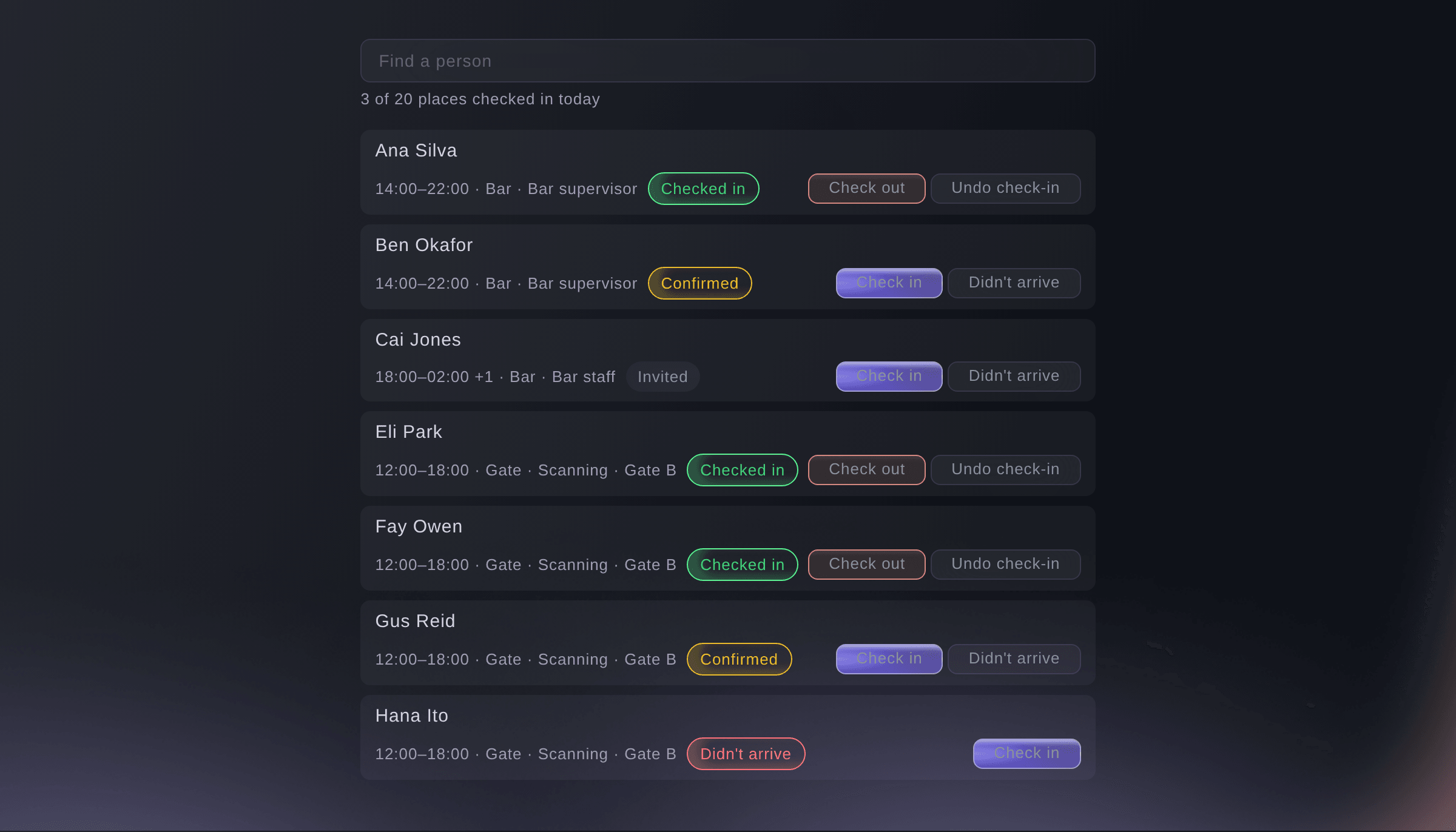
    Check crew and volunteers in and out of each shift at the door.

  • Team workload

    See each person's hours per day across tasks and shifts.

  • Volunteer list

    Keep each volunteer's status, T-shirt size, dietary needs and emergency contact, and import volunteers from a spreadsheet.

  • Volunteer recruitment

    Share a public form, let Fai check applicants against your roles and send your decisions in batches.

  • Hours and rewards

    Compare hours signed up for with hours worked and send earned guest tickets.

  • Meals, certificates and induction

    Feed your crew, check their certificates and run a safety induction before they work.

    Learn more about Crew meals & safety

  • Hours approval

    Approve hours from check-ins and check-outs, change a line with a reason and download the approved hours.

  • Shifts from a spreadsheet

    Drop in your rota spreadsheet. Fai works out which column holds the day, the times and the team before the shifts are added.

Questions About Crew and Volunteers

Crew & volunteers

The first to accept takes the place. If the shift is then full, the other person's page thanks them and says the place was filled.

No. You see each person's shifts worked, the times they did not arrive, late cancellations and hours, with their skills. Nobody is rated. The list shows one person for each email address.

Fai suggests each batch of offers, and a member of your team approves it. On each event, you can choose to let the first batch and the Still coming? question go out without approval.

Up to 500 people in each batch. You can invite up to 5,000 returning volunteers from up to 25 past events, and you can download hours for events with up to 5,000 volunteers.

Yes, from 16 by default. A volunteer under 18 adds a parent or guardian, who agrees too.

Yes. A department lead approves and corrects the hours of their department's shifts from their My shifts page. Leads never see costs and cannot approve their own hours.

Into the event's Budget, once a shift has a cost per hour. Approved hours are costed at the rate they were approved at.

Ready to Build a Stronger Event Business?

Book a live demo, and we will set up your first event on the Event Operating System with your team.

Start Selling Tickets Online

Sign up without a credit card and build a test event before you commit. Go on sale in minutes when you are ready.

No monthly subscription required for ticketing
Start selling tickets immediately
Ticketing tools included in the service fee
Get Started for Free Talk to Fai Now

Ask Fai, our AI assistant, about Ticket Fairy’s features, pricing and how it could work for your event.

No credit card required

Book a demo call

See the referral model that drives 20% more ticket sales on average, learn which campaigns sell tickets, answer buyers faster and keep queues moving.

45-Minute Video Call
Pick a Time That Works for You

The Ticket Fairy, Inc. is a fintech company and technology platform. The Ticket Fairy, Inc. is not a bank, financial institution, or regulated financial services provider. Vault banking services are provided through regulated banking partners. Ticket Fairy Capital financing is provided by third-party private credit partners. The Ticket Fairy, Inc. does not make credit decisions, and all funding terms, approvals and conditions are determined by those lending partners.