Keep stages on time and respond to incidents fast

See what is on now and next, and how late each stage runs. Anyone on your team reports an incident, and your safety lead hears about serious ones at once.

Ticket Fairy Event Operating System: Show day
  • Now and next for each stage
  • Your safety lead alerted at once
  • The right message to the right people

Keep each stage running to time

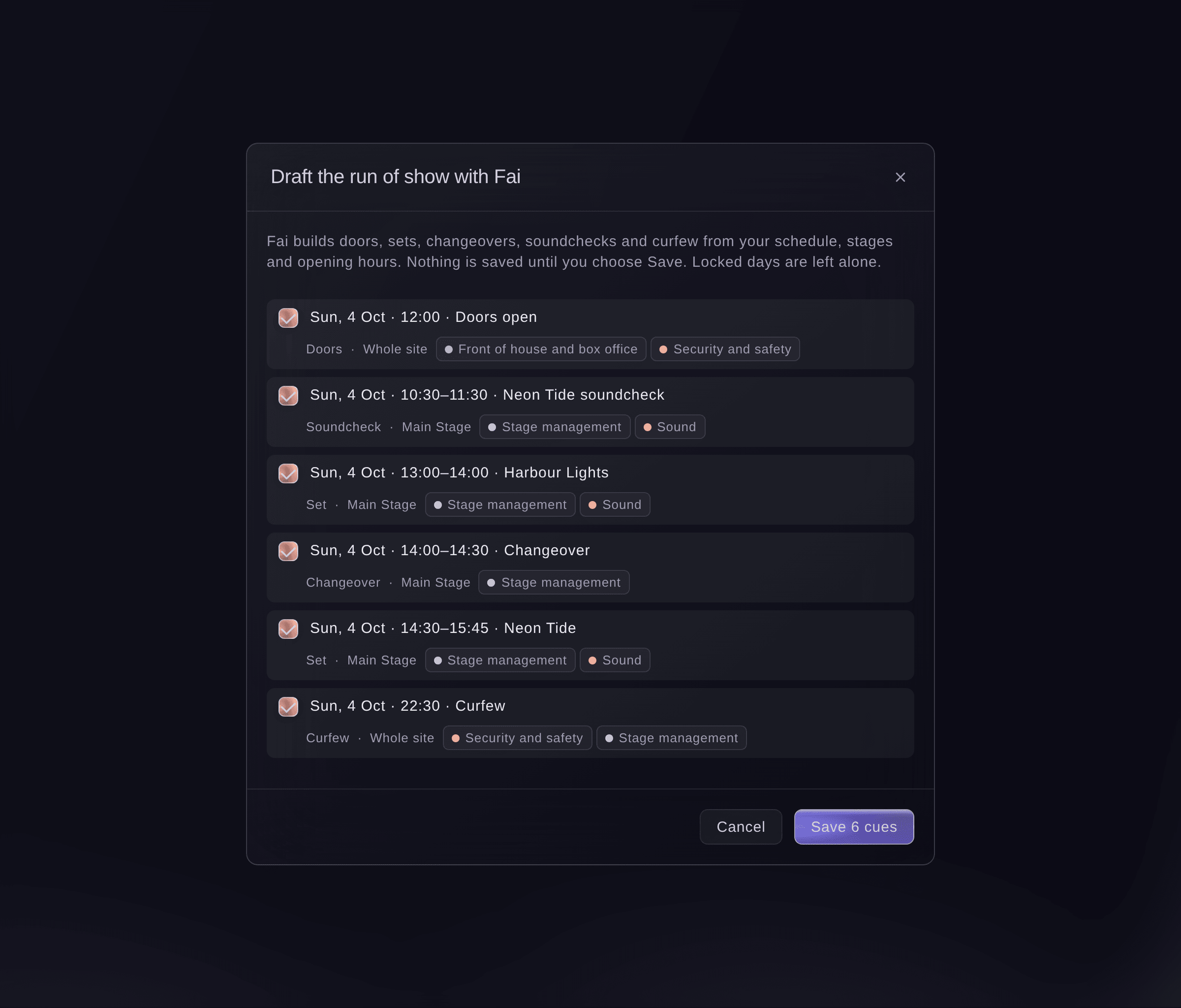
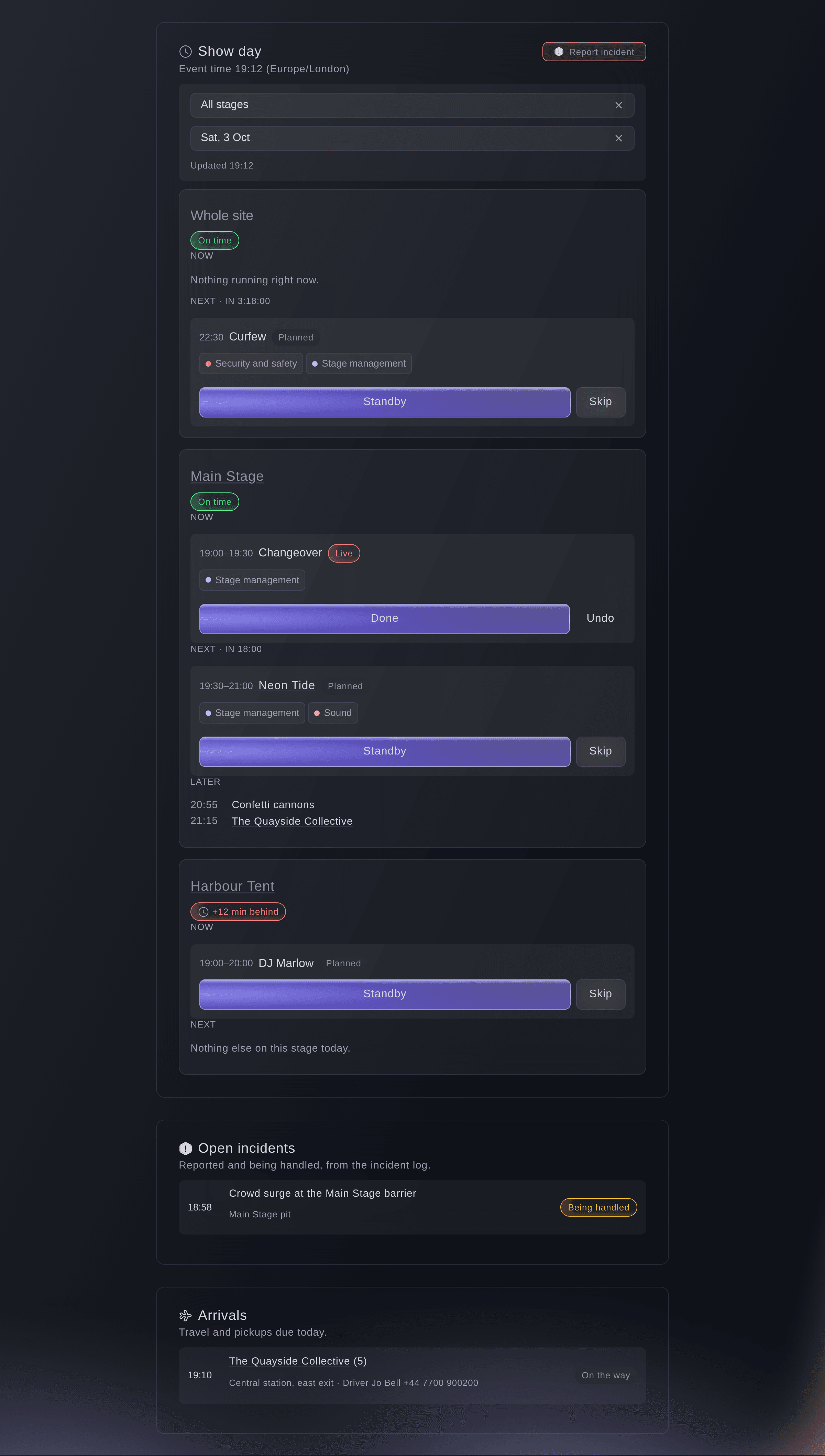
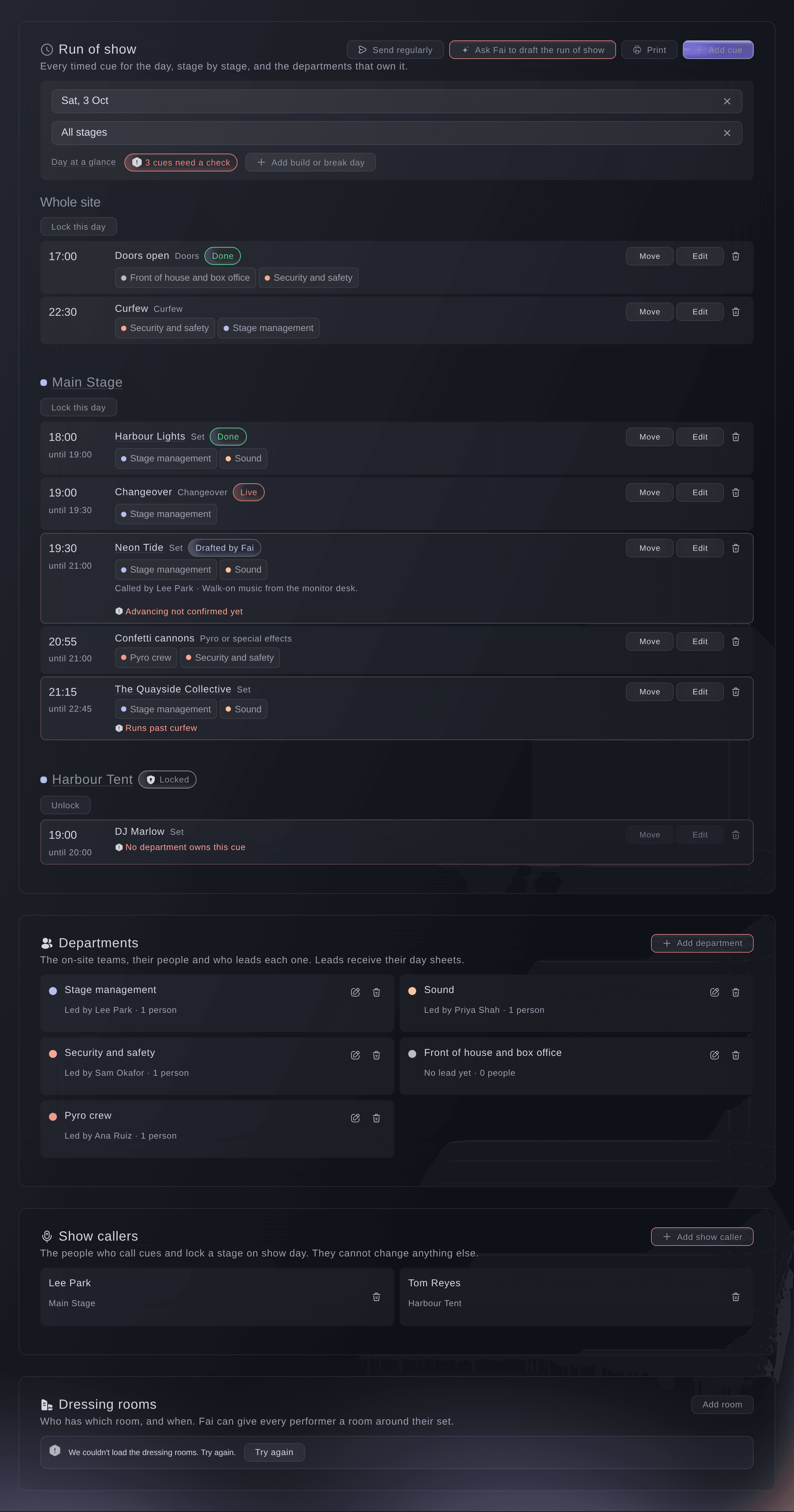
On the day, your show callers see now and next against the event clock and call each cue. They mark each cue live and done, so you know when it really started and finished. Now and next then shows how late each stage is running, when the next acts will really go on and whether the day will finish after curfew. Before the day, Fai drafts a minute-by-minute run of show from your schedule and flags gaps and clashes. You lock it and name who calls each stage.

  • Run of show: drafted by Fai and locked by you
  • Show callers: a named caller for each stage
  • Now and next: cues, late stages and real start times
Ticket Fairy Event Operating System: Keep each stage running to time

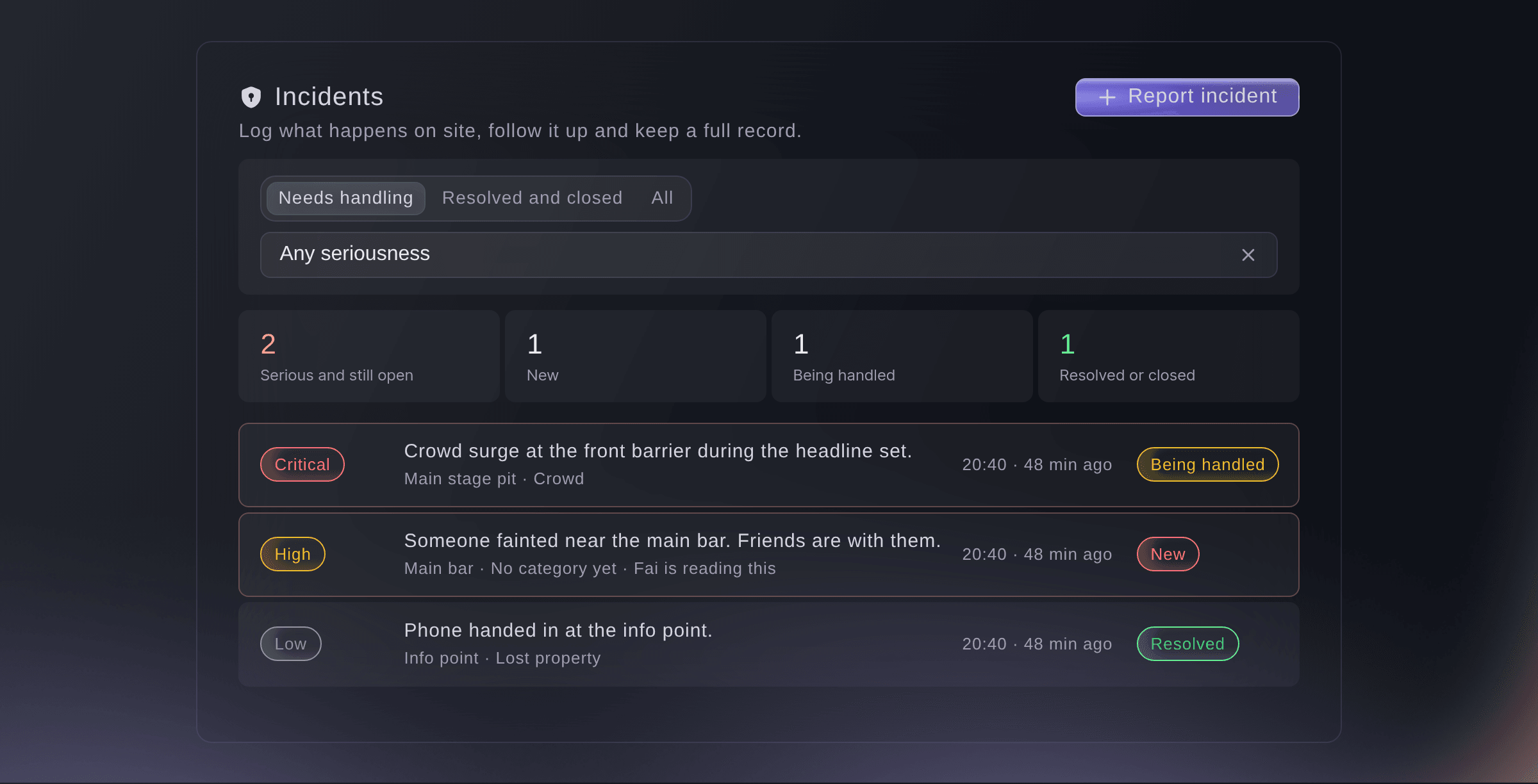
Tell your safety lead the moment something serious happens

Anyone on your team can report an incident from their phone. They say what happened, where and how serious it is, and pick the place on your site map. Your safety lead hears about serious incidents at once.

  • Incident reports: what happened, where and how serious
  • Safety lead alerts: for serious incidents
  • Risk register: drafted by Fai, with an owner and a review date for each risk
Ticket Fairy Event Operating System: Tell your safety lead the moment something serious happens

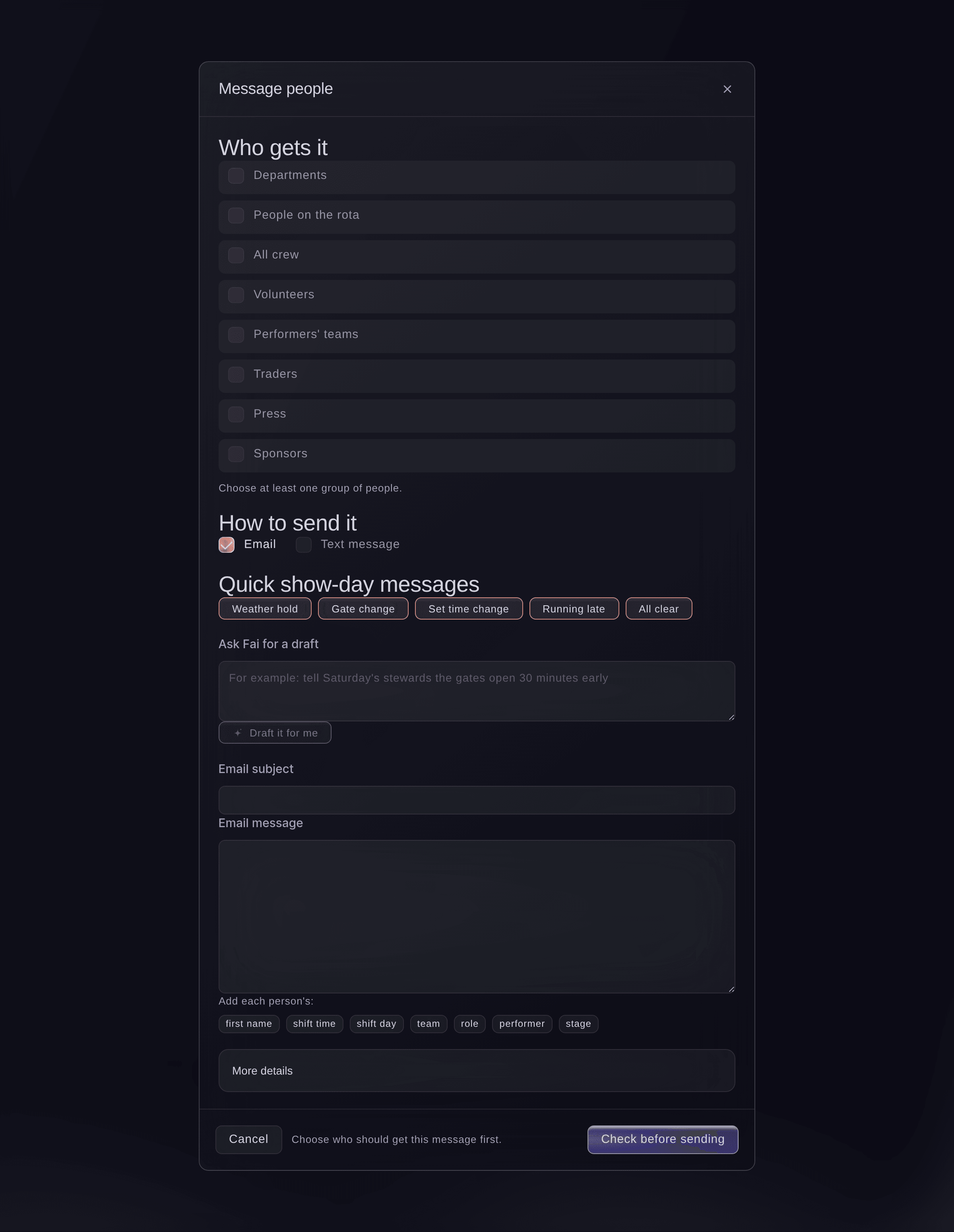
Message exactly the people who need to know

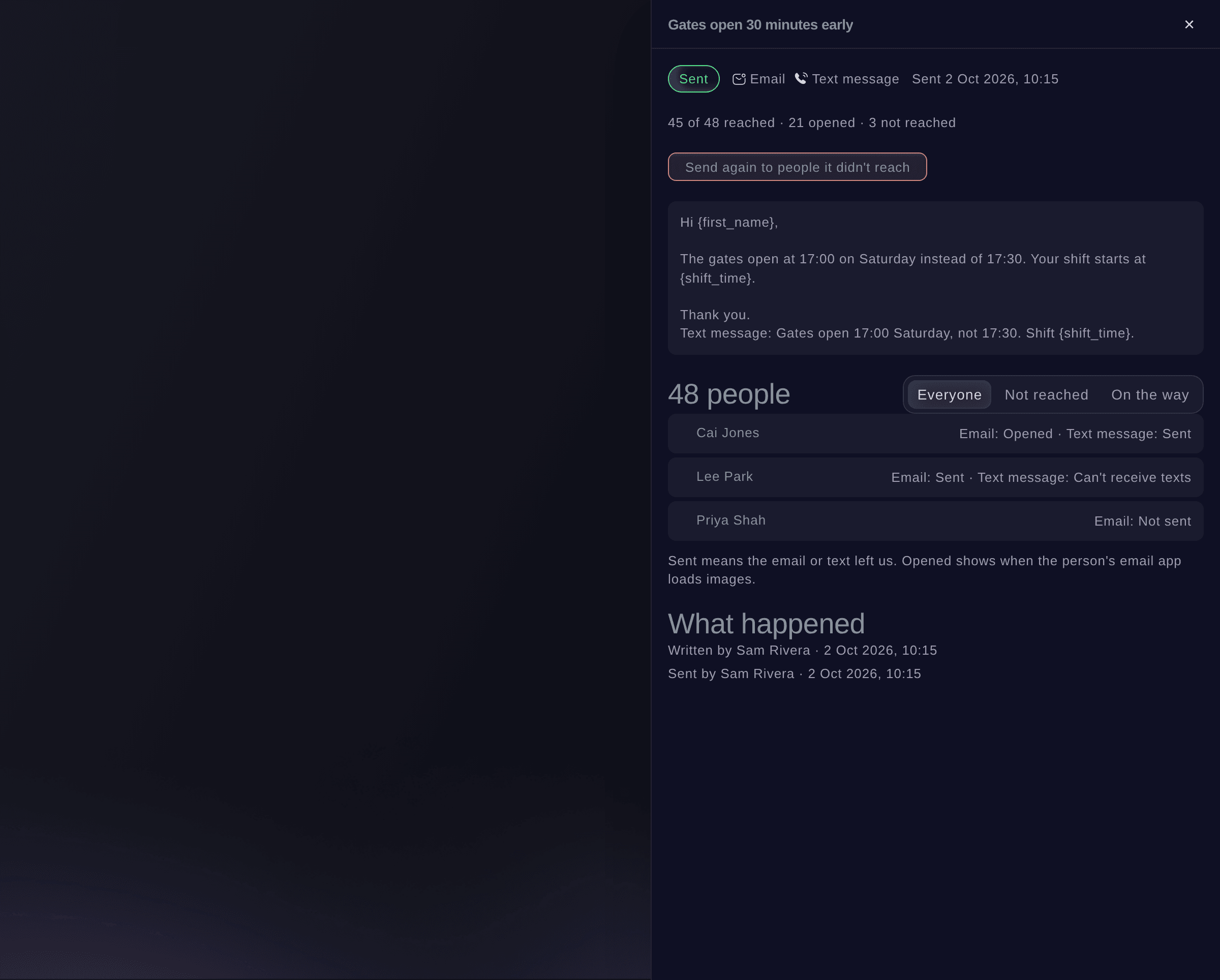
Email or text a team, one day's shifts, your volunteers, performers' teams, traders, press, sponsors or the people who answered a form. Start from a show-day template or a draft from Fai, and see exactly who will receive it. Send it now or schedule it, then see who opened it.

  • Who gets it: see each person before you send
  • Scheduled messages: send now or at a time you choose
  • Delivery: who was sent the message and who opened it
Ticket Fairy Event Operating System: Message exactly the people who need to know

Keep backstage teams on time without the radio

Put now and next on any TV backstage or at the side of a stage from a private link. Your crew sees the act on now, the time left, the act next and how late each stage runs, and the TV updates itself from your run of show. Give your production team a calendar link, and each cue appears in their own calendar app and moves when the running order does.

  • Backstage screens: now and next on any TV, with no sign-in
  • Run of show calendar: each cue in Google, Apple or Outlook calendars
  • Whole stay: each act's travel, hotel and calls, with what changed
Ticket Fairy Event Operating System: Keep backstage teams on time without the radio
Get this page as a PDF Read it later or share it with your team. We email you a link to the PDF.
What to put in your PDF

We will email you this deck. We may also email you now and then about Ticket Fairy features that can help your events. You can unsubscribe at any time with one click.

Go Deeper Into Show Day

See how your team does each job in the dashboard, set it up step by step and get answers to your questions.

  • Run of show

    Start the run of show from Fai's draft and fix clashes and late finishes before show day. Call cues live, catch a late stage up in one step, and give each team its day sheet, backstage TV and calendar.

  • Messages & incidents

    Email or text the crew, volunteers and outside teams who need to know and see who got it, send your lists on a schedule, and log each incident with your safety lead alerted at once.

Deal with whatever comes up on show day

  • Run of show

    Plan each stage and day minute by minute. Fai drafts it and you lock it.

  • Running-order checks

    See clashes, short changeovers, late flights and sets past curfew before the day, each with a fix from Fai.

  • Day sheets

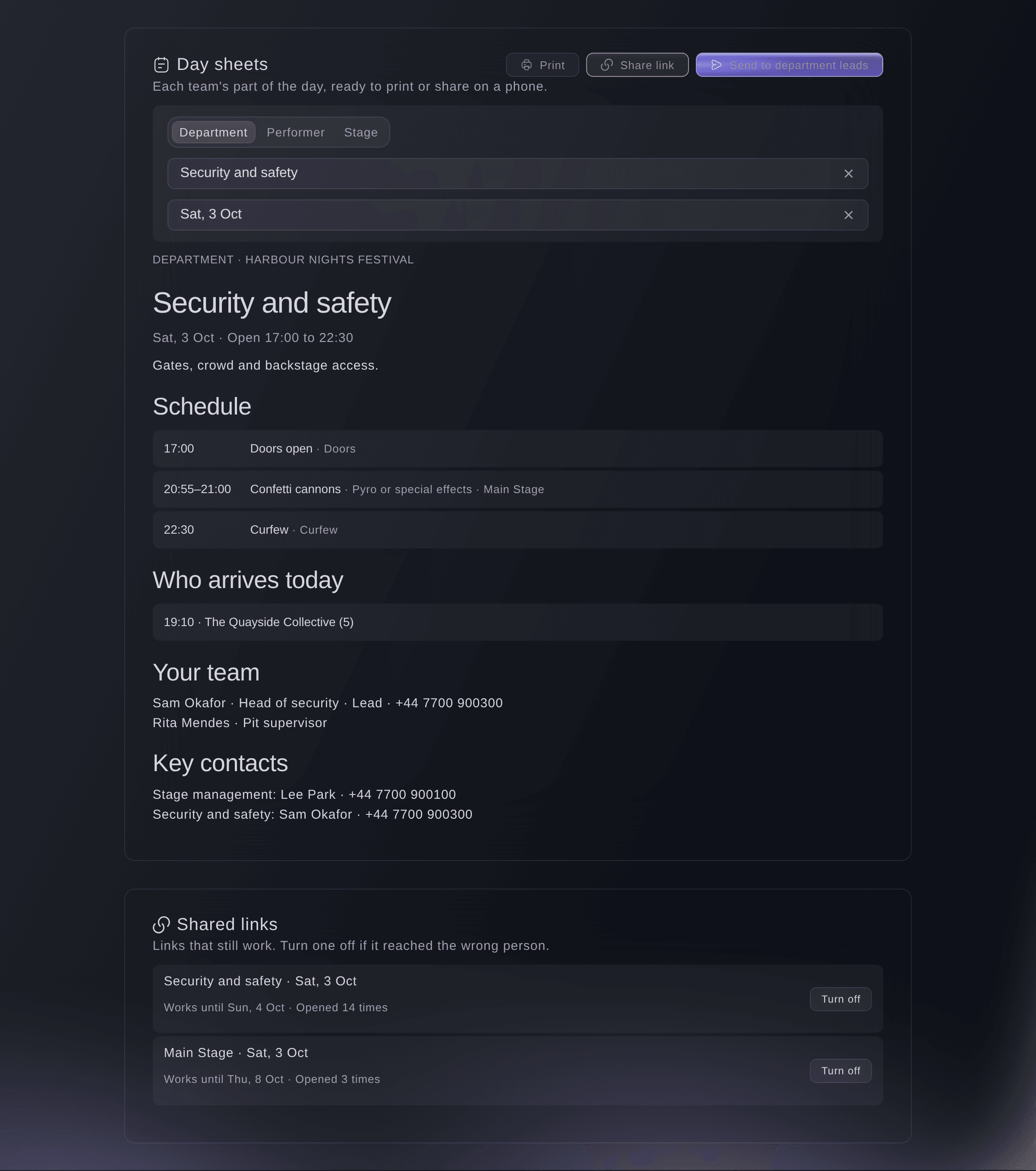
    Give each team, performer or stage its own day sheet, printed or shared by a link your team can open without an account.

  • Now and next

    See now and next, cues, how late each stage is running and open incidents together.

  • Desks

    Open the hand-out, meal, kit, staff gate, vehicle gate and registration desks from one Desks section.

  • Incidents

    Report what happened and where, and alert your safety lead to serious incidents.

  • Risk register

    Start from Fai's draft and give each risk an owner, a review date and a status.

  • Lost property

    Log found items with a photo, take lost-item reports from a public page and hand items back to their owners. Fai suggests likely matches.

  • Messages

    Email or text any team, with templates, a preview of who gets it, scheduling and delivery.

  • Backstage screens

    Show now and next and how late each stage runs on a TV, from a link you can stop at any time.

  • Run of show calendar

    Put each cue in your team's own calendar app, and it stays up to date.

Questions About Show Day

Show day

Yes. You can send each message to up to 2,000 people, and you see exactly who will receive it before you send.

Only your safety team can see sensitive details. Each time someone opens a full report, Ticket Fairy records who opened it.

No. The planned times change only when someone on your team moves the rest of the day. Until then, Now and next and shared day sheets show the delay.

No. Share a day sheet by link and each person opens it on their phone, or print it.

Ready to Build a Stronger Event Business?

Book a live demo, and we will set up your first event on the Event Operating System with your team.

Start Selling Tickets Online

Sign up without a credit card and build a test event before you commit. Go on sale in minutes when you are ready.

No monthly subscription required for ticketing
Start selling tickets immediately
Ticketing tools included in the service fee
Get Started for Free Talk to Fai Now

Ask Fai, our AI assistant, about Ticket Fairy’s features, pricing and how it could work for your event.

No credit card required

Book a demo call

See the referral model that drives 20% more ticket sales on average, learn which campaigns sell tickets, answer buyers faster and keep queues moving.

45-Minute Video Call
Pick a Time That Works for You

The Ticket Fairy, Inc. is a fintech company and technology platform. The Ticket Fairy, Inc. is not a bank, financial institution, or regulated financial services provider. Vault banking services are provided through regulated banking partners. Ticket Fairy Capital financing is provided by third-party private credit partners. The Ticket Fairy, Inc. does not make credit decisions, and all funding terms, approvals and conditions are determined by those lending partners.