Get your site ready before the gates open

Your whole team works from one site map, and your hire lists come straight from each act's rider. Suppliers and outside teams book every delivery into an arrival time.

Ticket Fairy Event Operating System: Site & logistics
  • Your whole team working from one map
  • Hire lists worked out from each rider
  • Each delivery booked into an arrival time

Plan a safer site and help attendees find their way

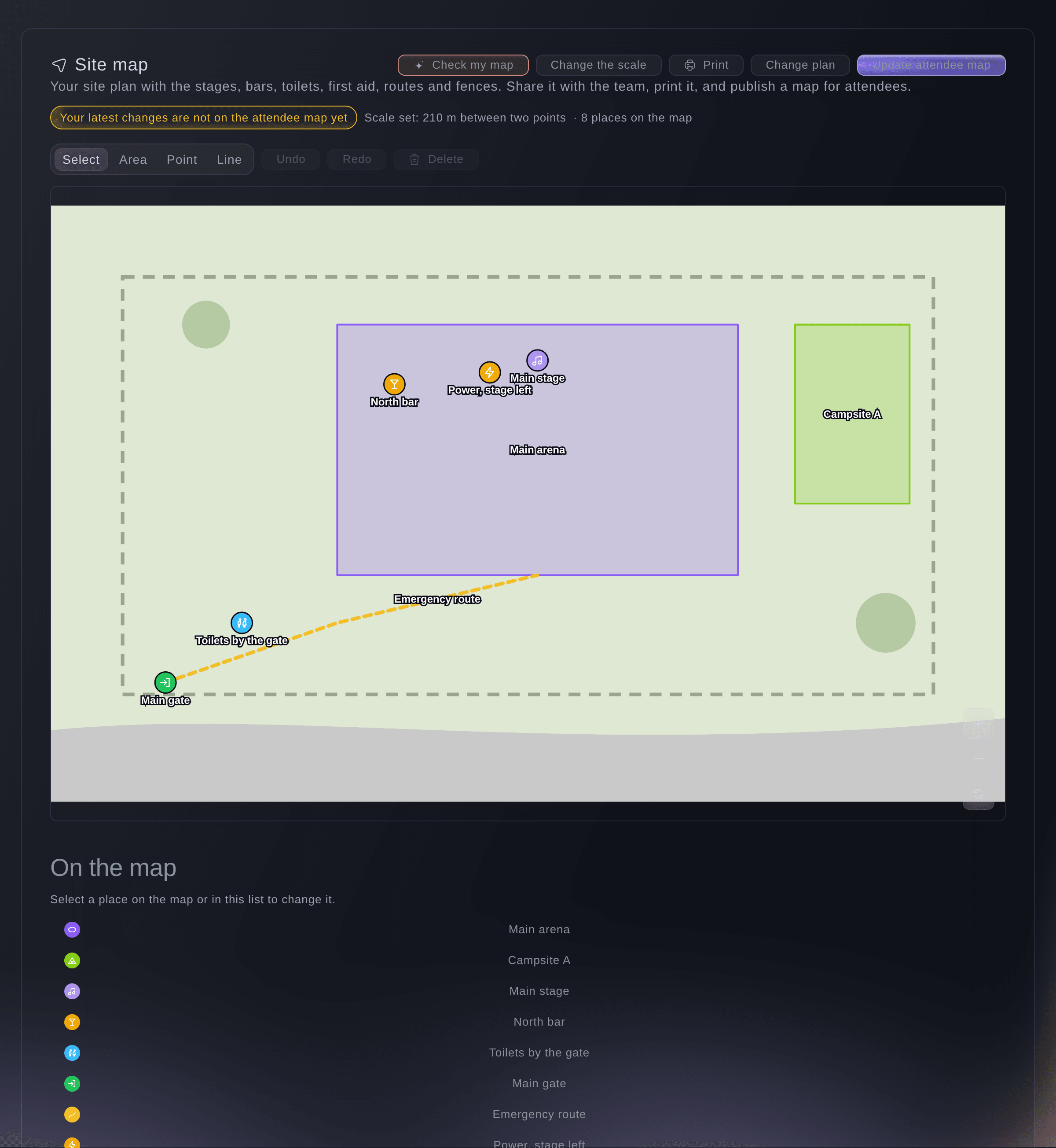
Upload your site plan, mark areas, points and routes, set the scale and measure distances. Fai checks that you have enough first aid, exits, water and toilets for your crowd. Your team can edit the map together, and when it is ready you publish an attendee map to your event page.

  • Areas, points and routes: on your own plan, to scale
  • Safety check by Fai: first aid, exits, water and toilets for your crowd
  • Team editing: your team works on the map at the same time
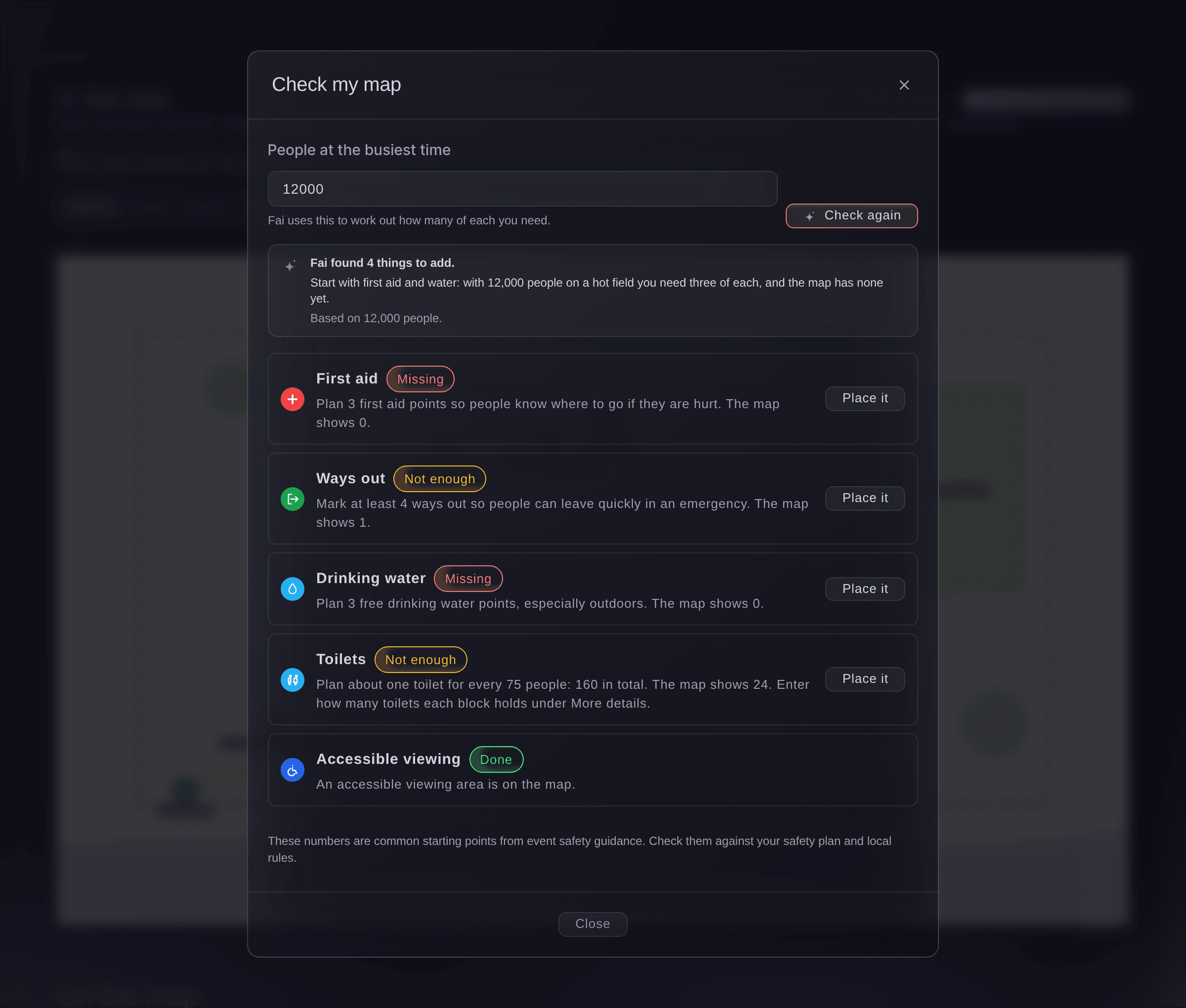
Ticket Fairy Event Operating System: Plan a safer site and help attendees find their way

Hire exactly what your acts and stages need

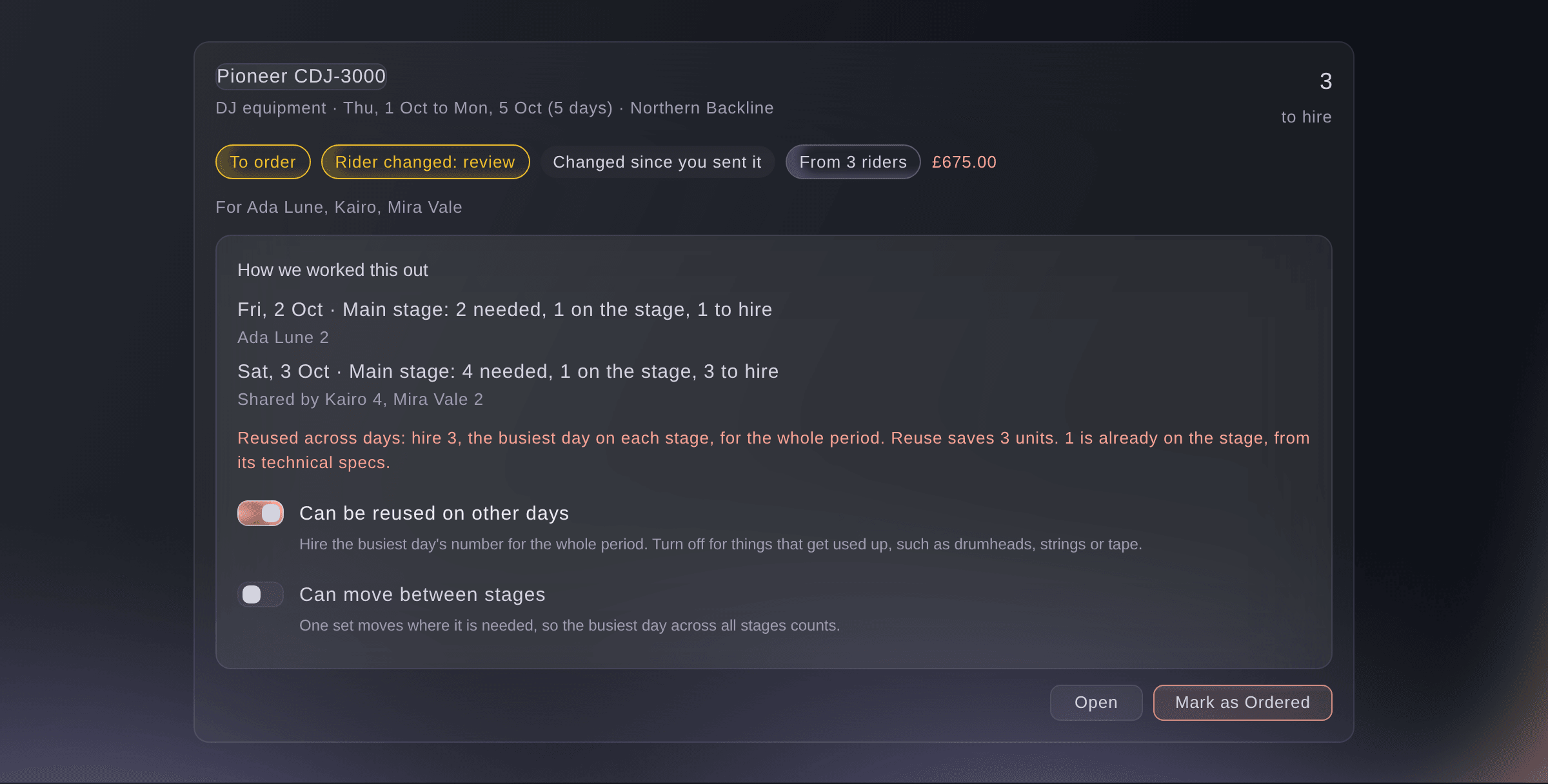
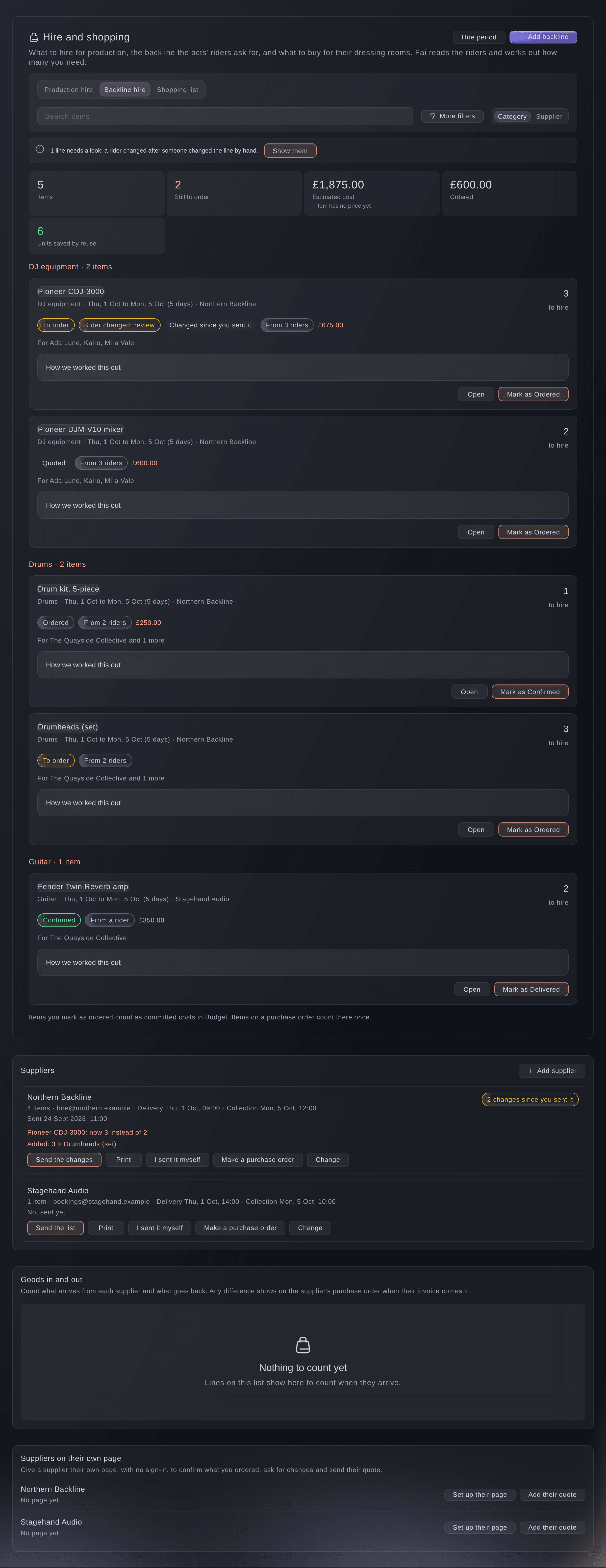
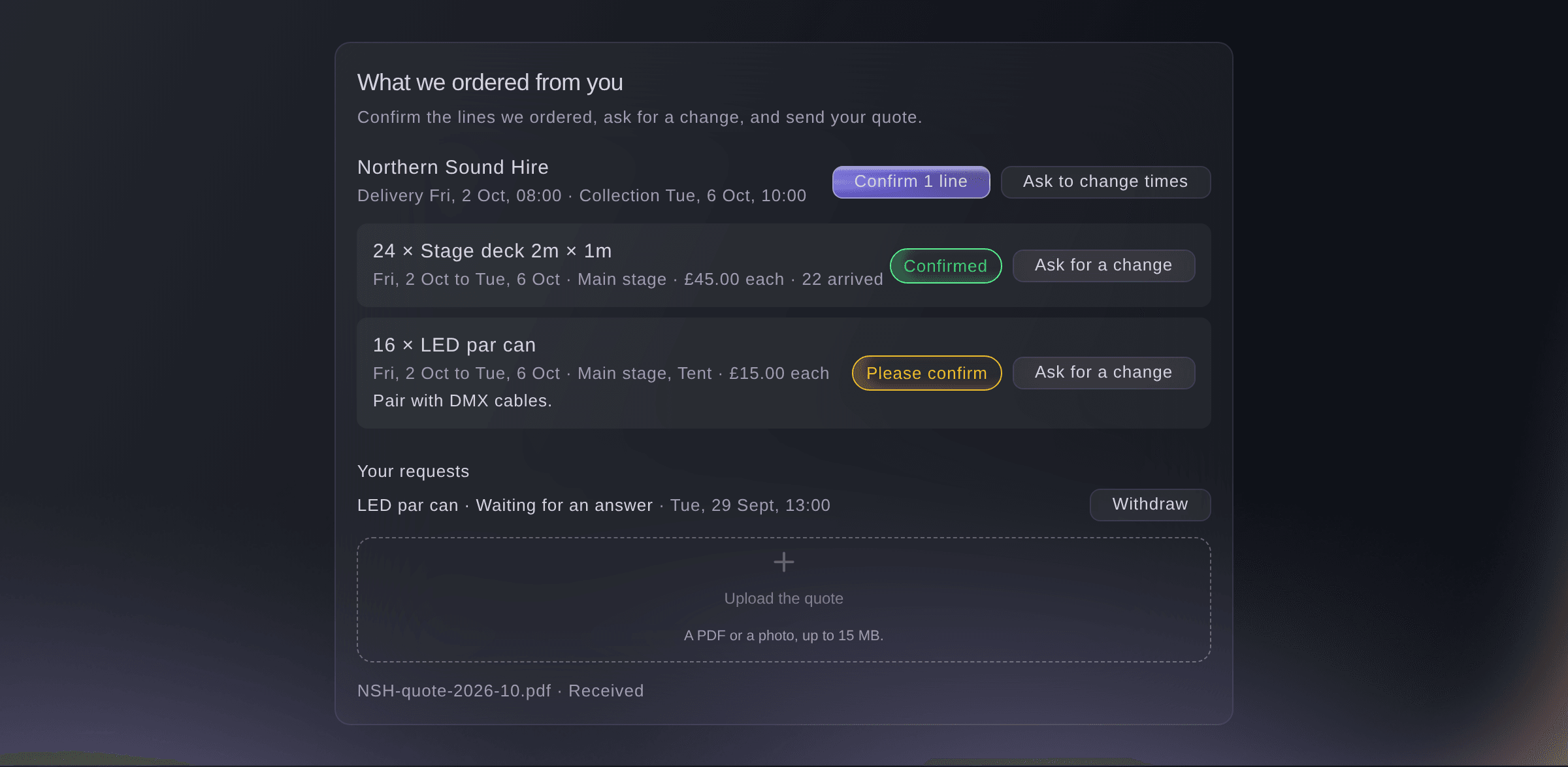
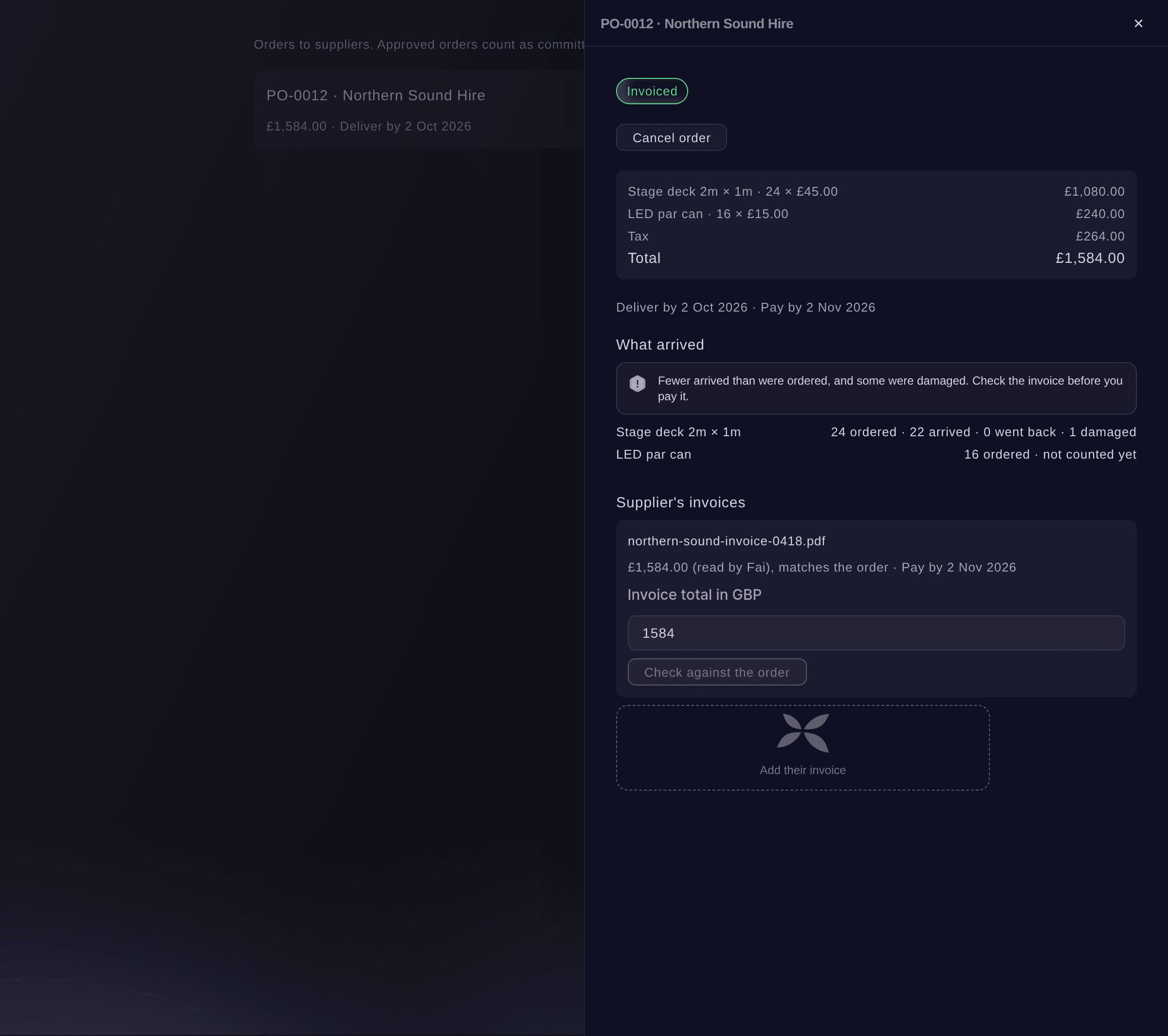
Your backline hire list fills in from each act's technical rider, and your shopping list from hospitality riders and your standard packages. Ticket Fairy works out how many to hire for you. Gear shared on a stage counts once, and reusable gear is hired once for the busiest day. The stage's own kit and yours come off first. Send each supplier their lines and let them confirm or ask for changes on their own page. Then count what arrived and what went back.

  • Backline and production hire: filled in from riders and worked out for you
  • Shopping list: from hospitality riders and standard packages
  • Supplier page: suppliers confirm their lines and add their quote
Ticket Fairy Event Operating System: Hire exactly what your acts and stages need

Get each delivery and vehicle in on time

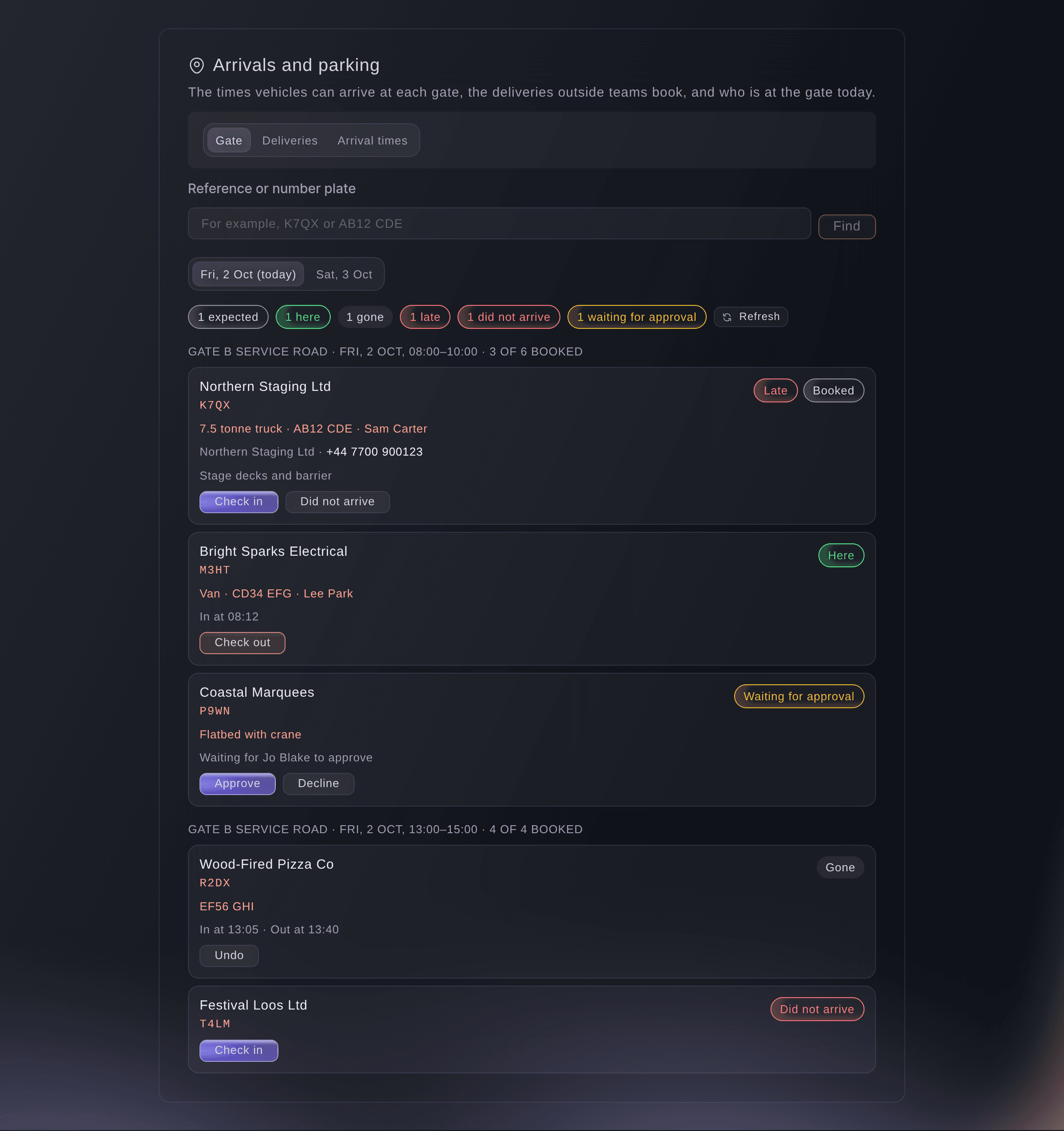
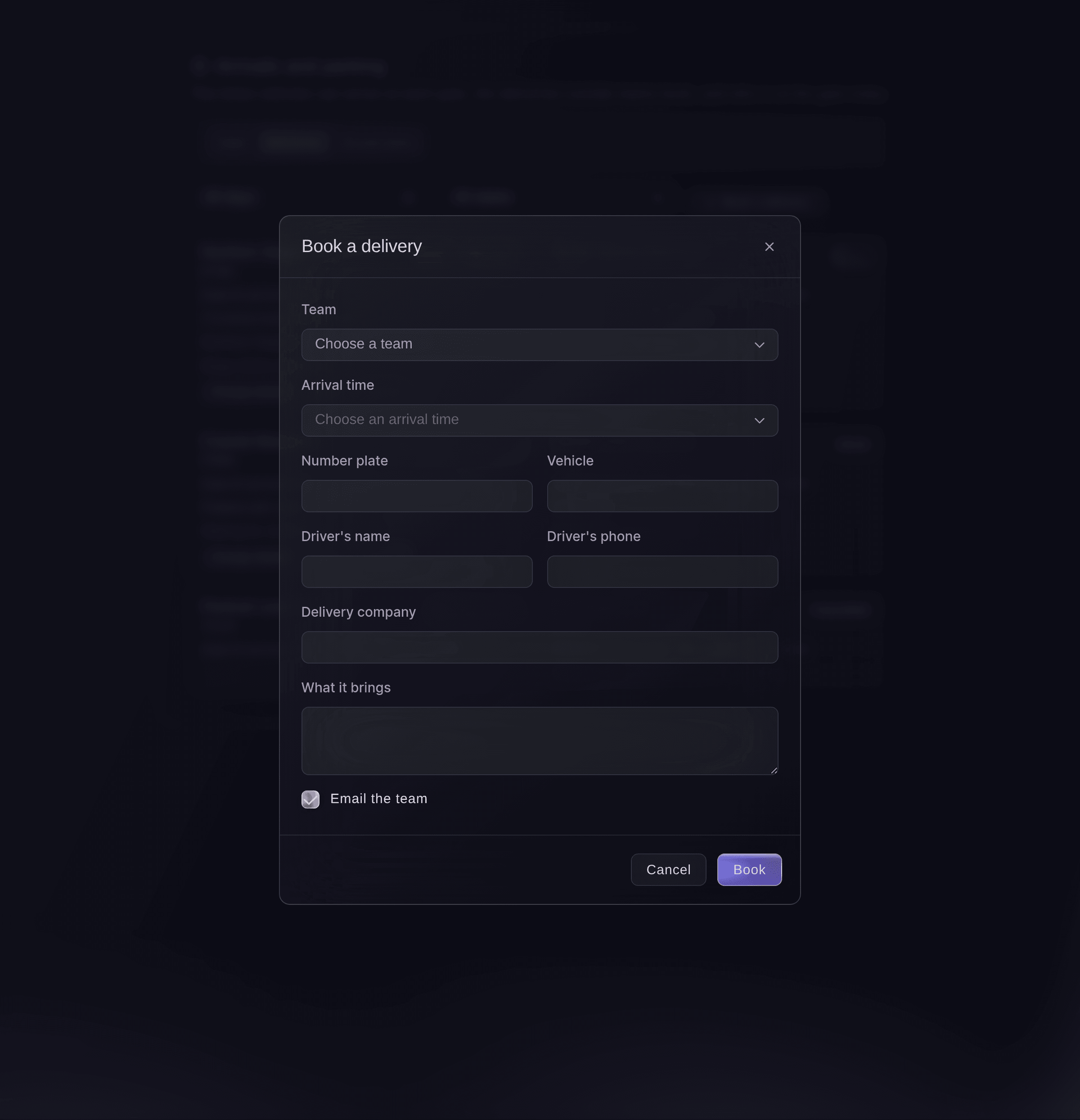
Open arrival times by gate or area, each with a number of vehicles. Outside teams book each vehicle into an arrival time on their own page and get a reference code. On the day, your gate team finds a vehicle by code or plate on a phone. They check it in and out and see who is late.

  • Arrival times: by gate or area, for deliveries and vehicles
  • Bookings from outside teams: plate, driver and what the vehicle carries
  • Gate view: check vehicles in and out from a phone
Ticket Fairy Event Operating System: Get each delivery and vehicle in on time
Get this page as a PDF Read it later or share it with your team. We email you a link to the PDF.
What to put in your PDF

We will email you this deck. We may also email you now and then about Ticket Fairy features that can help your events. You can unsubscribe at any time with one click.

Go Deeper Into Site and Logistics

See how your team does each job in the dashboard, set it up step by step and get answers to your questions.

  • Site map & deliveries

    Draw your site to scale and let Fai check the safety essentials. Publish a map for attendees, share a live map with responders and give every delivery an arrival time at the gate.

  • Hire, kit & suppliers

    Your acts' riders build one backline and production hire list. Suppliers confirm and quote on their own page, your crew counts deliveries in and out, and your kit desk knows who has each radio.

  • Dressing rooms

    Plan dressing rooms around each set with Fai and catch overlapping bookings. Turn hospitality riders and standard packages into a shopping list for each day.

Get your site, kit and suppliers ready

  • Site map

    Mark areas, points and routes on your plan to scale, and publish an attendee map

  • Hire and shopping

    Production hire, backline hire from riders and a shopping list, with each line followed from To order to Returned

  • Suppliers

    Email each supplier their lines, let Fai add their quote to the list and count deliveries in and out

  • Arrivals and parking

    Arrival times for deliveries and vehicles, with a gate view for the day

  • Kit and equipment

    Hand out and take back kit by scan or search, see who has what and plan radio channels

  • Kit orders from outside teams

    Offer kit from your stock with prices, and hold the units once you approve an order

  • Documents from outside teams

    Ask for insurance, risk assessments and certificates by a due date, and Fai picks out the expiry date in each file

  • Forms

    Start from a ready-made form, a blank form or a draft Fai prepares from your description. Ask for files and signatures, and show questions based on earlier answers

  • Add applicants to your teams

    Add each form applicant to your volunteers, traders, press, crew or an act's contacts

  • Dressing rooms and production days

    Book rooms around set times and add build and break days with standard cues

  • Traders

    Take trader applications, place traders on pitches and share power sheets

    Learn more about Traders & markets

  • Private map links

    Share the live site map with the emergency services, an accessibility team or a supplier, showing the places they need

  • Accessibility

    Plan interpreters, captioning, hearing loops, wheelchair access, large-print materials and other provisions, each with its provider, cost and progress

  • Local suppliers found by Fai

    Describe what you need in the Production section, and Fai lists local suppliers with their website and contact details

  • Street and satellite map underneath

    Line your site plan up once with a street or satellite map of your venue. Then use the map to set or check your plan's scale

Questions About Site and Logistics

Site & logistics

A JPG, PNG or WebP image of your plan, up to 20 MB. If your plan is a PDF, export it as an image first.

Yes. The list updates to match, except lines your team changed by hand, which are flagged for you to review.

A form can ask the applicant to accept a fee. Traders pay their invoice on their own trader page.

Use a USB or Bluetooth barcode scanner, or search for the item or the person.

Each arrival time has room for the number of vehicles you set. Once it is full, outside teams cannot book into it.

Yes. You need an uploaded plan first. Find your venue's address, then move, turn and size the street or satellite map until it sits under your plan. The map then shows under your plan in the site map, on private map links and on the printed map.

Ready to Build a Stronger Event Business?

Book a live demo, and we will set up your first event on the Event Operating System with your team.

Start Selling Tickets Online

Sign up without a credit card and build a test event before you commit. Go on sale in minutes when you are ready.

No monthly subscription required for ticketing
Start selling tickets immediately
Ticketing tools included in the service fee
Get Started for Free Talk to Fai Now

Ask Fai, our AI assistant, about Ticket Fairy’s features, pricing and how it could work for your event.

No credit card required

Book a demo call

See the referral model that drives 20% more ticket sales on average, learn which campaigns sell tickets, answer buyers faster and keep queues moving.

45-Minute Video Call
Pick a Time That Works for You

The Ticket Fairy, Inc. is a fintech company and technology platform. The Ticket Fairy, Inc. is not a bank, financial institution, or regulated financial services provider. Vault banking services are provided through regulated banking partners. Ticket Fairy Capital financing is provided by third-party private credit partners. The Ticket Fairy, Inc. does not make credit decisions, and all funding terms, approvals and conditions are determined by those lending partners.