Have passes ready before your crew and artists arrive

Add people straight from your shifts, advances and trader list, and outside teams name their own people. Your door team checks each pass in the ticket app they already use.

Ticket Fairy Event Operating System: Accreditation
  • Right access for crew, artists, traders and press
  • Zones, days and meals on each pass
  • Each pass holder counted in and out

Get everyone their pass before they arrive

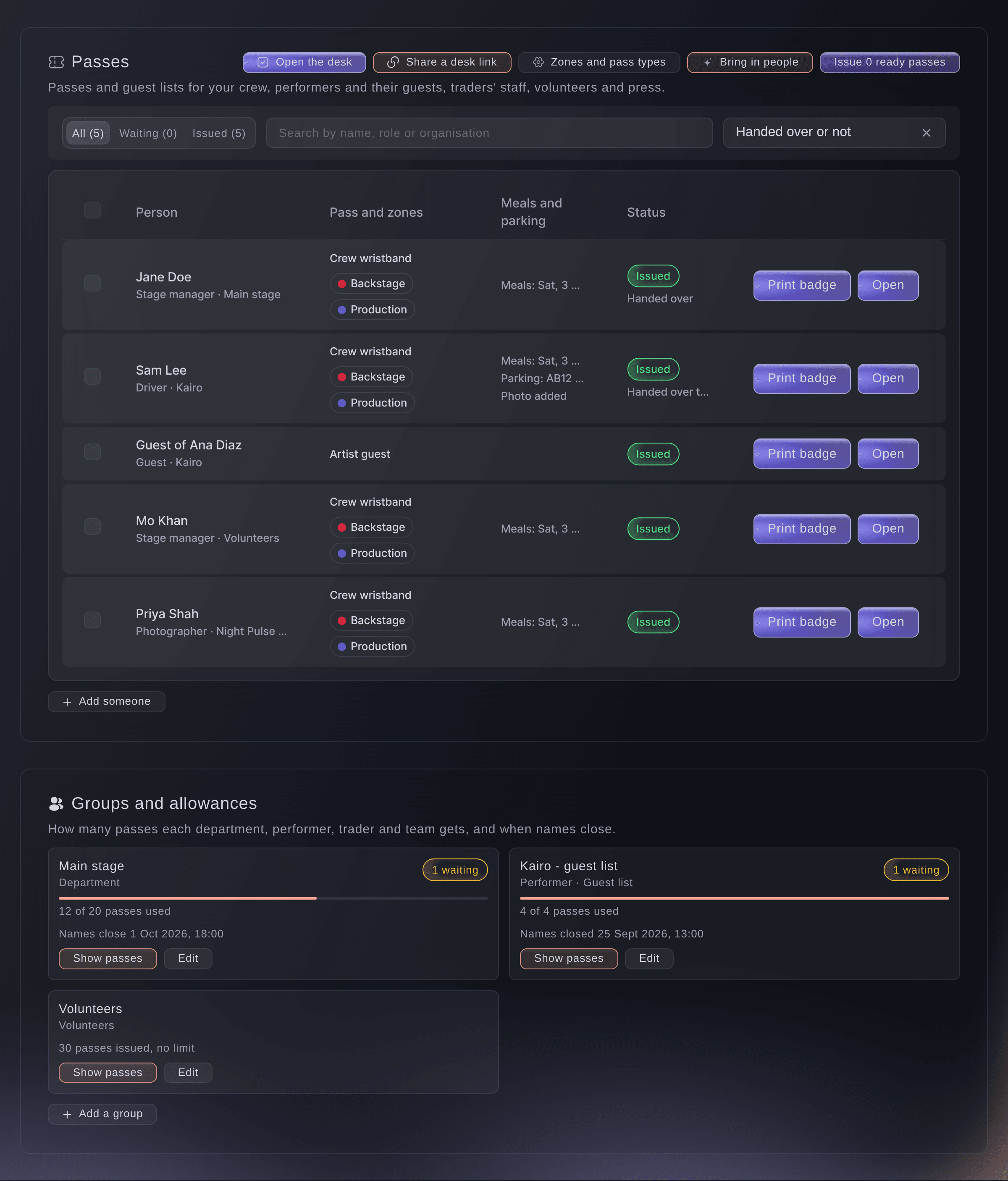
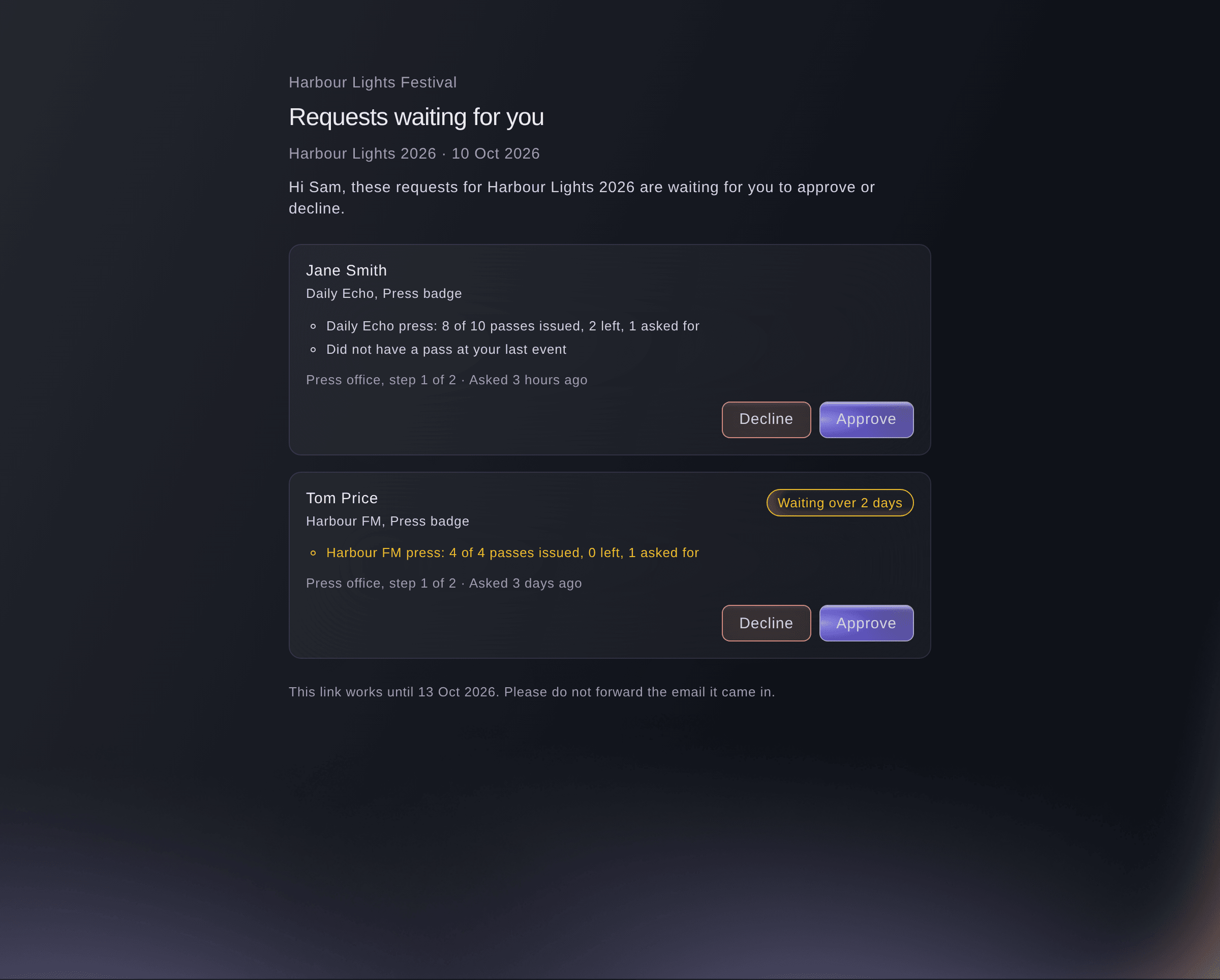
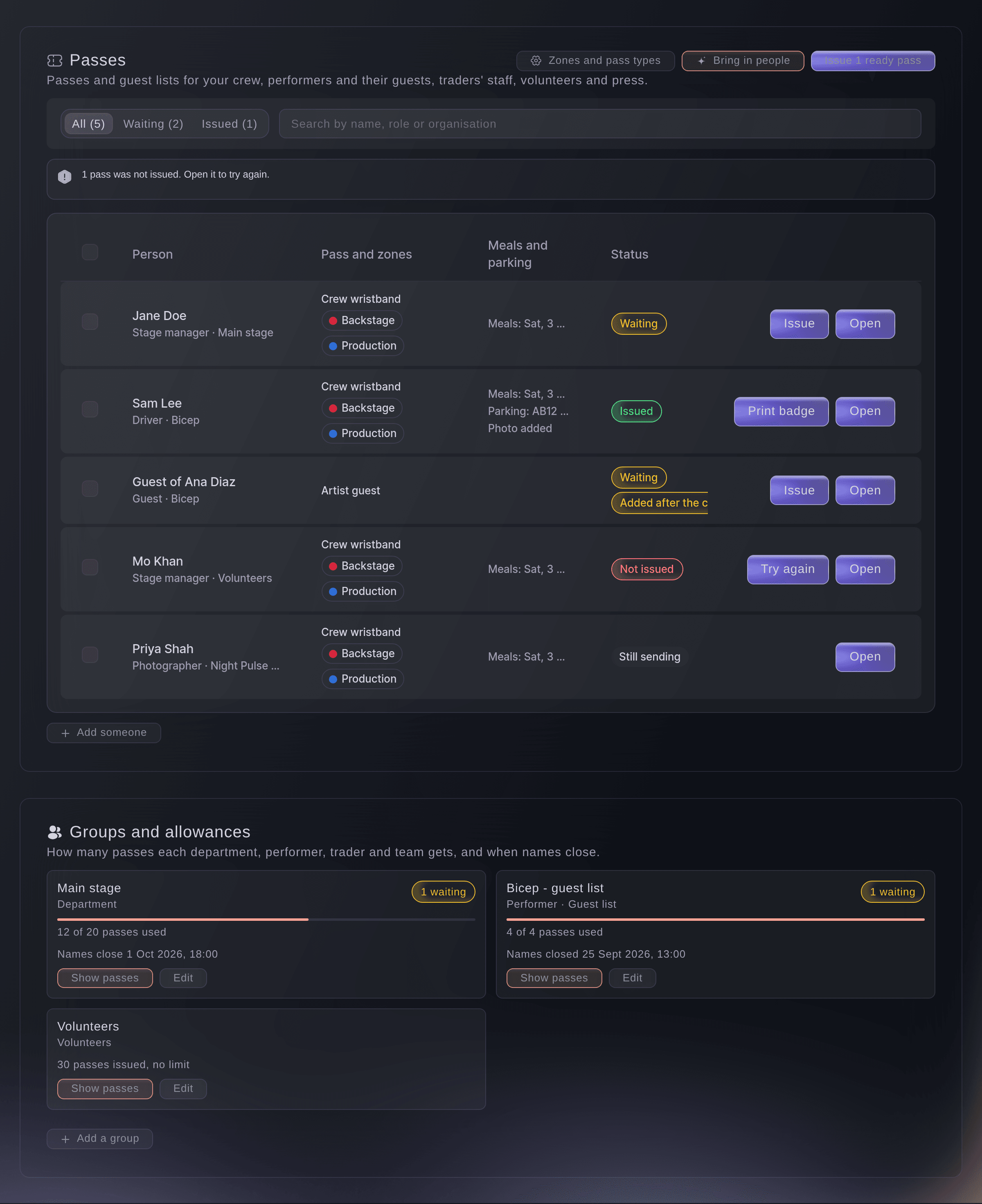
Add the people you already work with to a pass group straight from your shifts, advances, traders, volunteers and press list. Their passes are ready before the gates open. Give each outside team its own page to name their people against the passes you allow. Passes that need a yes go to the approvers your rules name.

  • People from your lists: your shifts, advances, traders, volunteers and press list
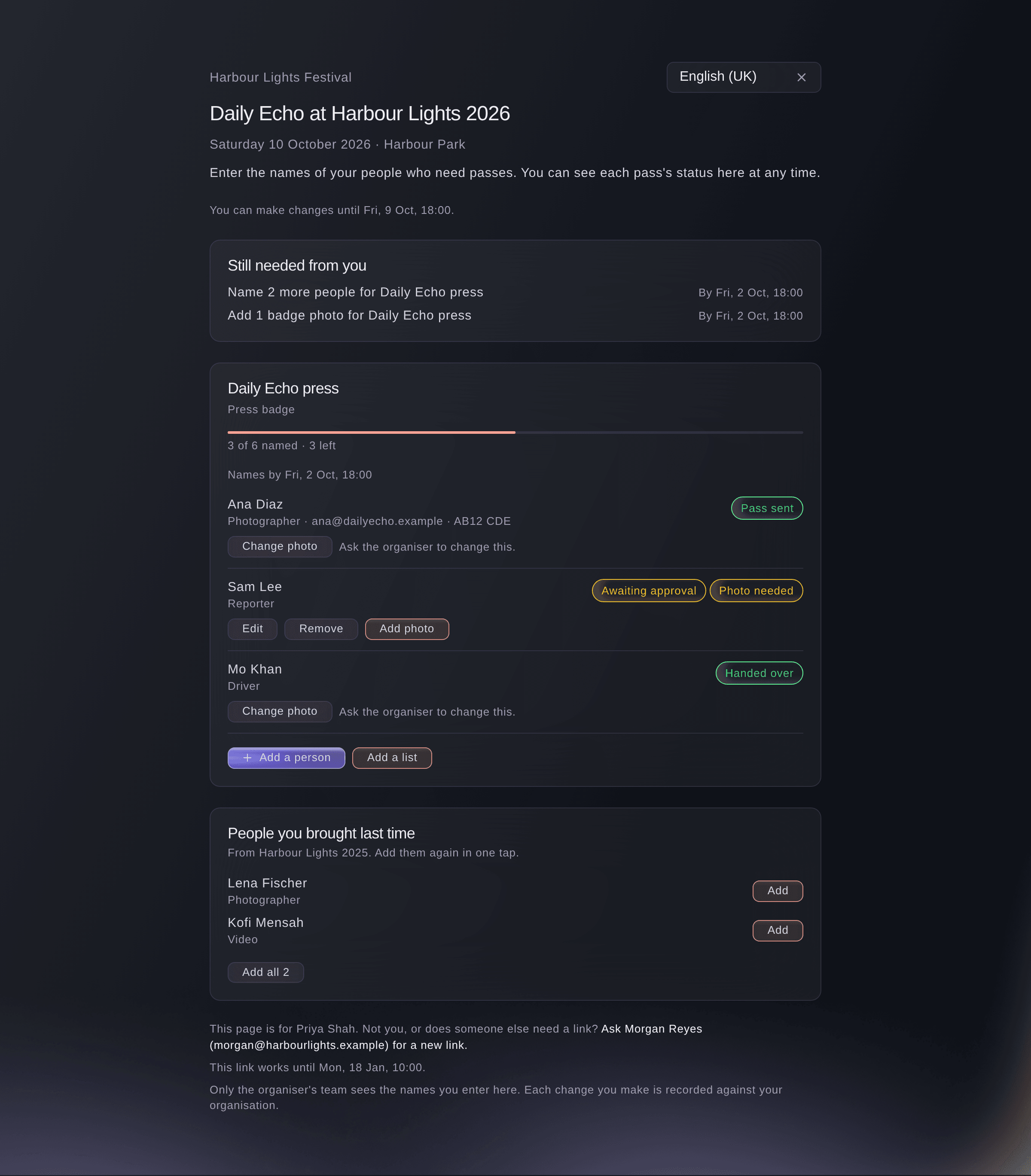
  • Outside teams name their people: from their own page, within the allowance you set
  • Approvals: rules for who approves each kind of pass
Ticket Fairy Event Operating System: Get everyone their pass before they arrive

Control who gets into each area, and when

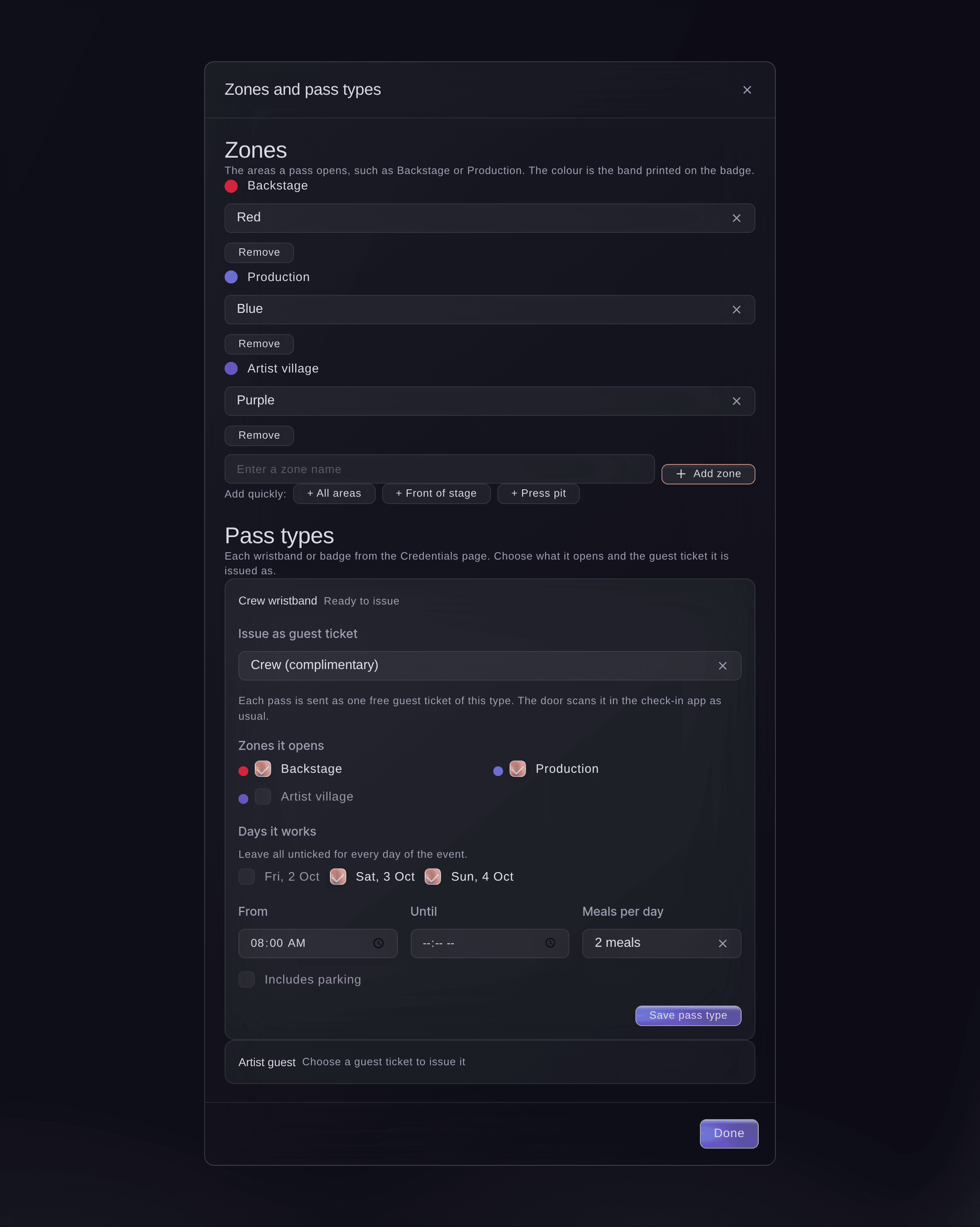
Keep backstage and your other zones for the people who belong there. Add your zones and give each pass type its days, hours, meals and parking. At your staff gates, a pass that is not for that zone, day or hour is refused, with the reason shown. A supervisor can let someone through with a reason. On site now counts the people on site and in each zone, by group or outside team.

  • Zones and pass types: days, hours, meals and parking for each pass type
  • Staff gates: passes checked in and out of each zone
  • On site now: who is on site and inside each zone
Ticket Fairy Event Operating System: Control who gets into each area, and when

Hand out passes quickly at your desk

Scan a badge or search a name at the hand-out desk to see the photo, pass type, zones, days and today's meals. If something stops a hand-over, such as a missing photo or induction, the desk says so in plain words and offers the fix. A group lead can collect passes for their group. Give desk staff without a dashboard login a desk link for their own phone. Your desk team can carry on with no connection, and the desk sends their hand-overs once it is back.

  • Hand-out desk: photo, zones, days and meals on each scan
  • Desk links: for staff without a dashboard login
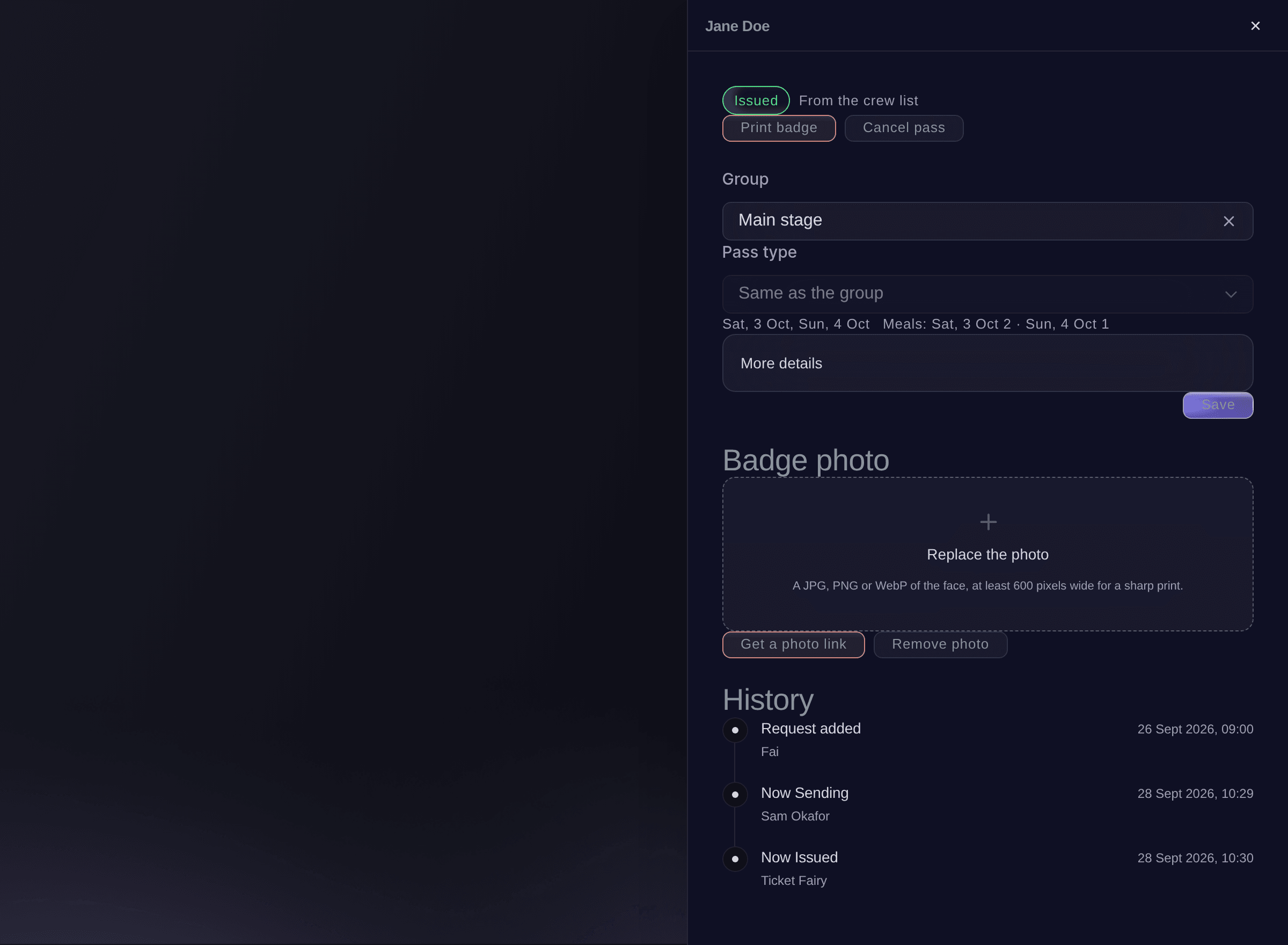
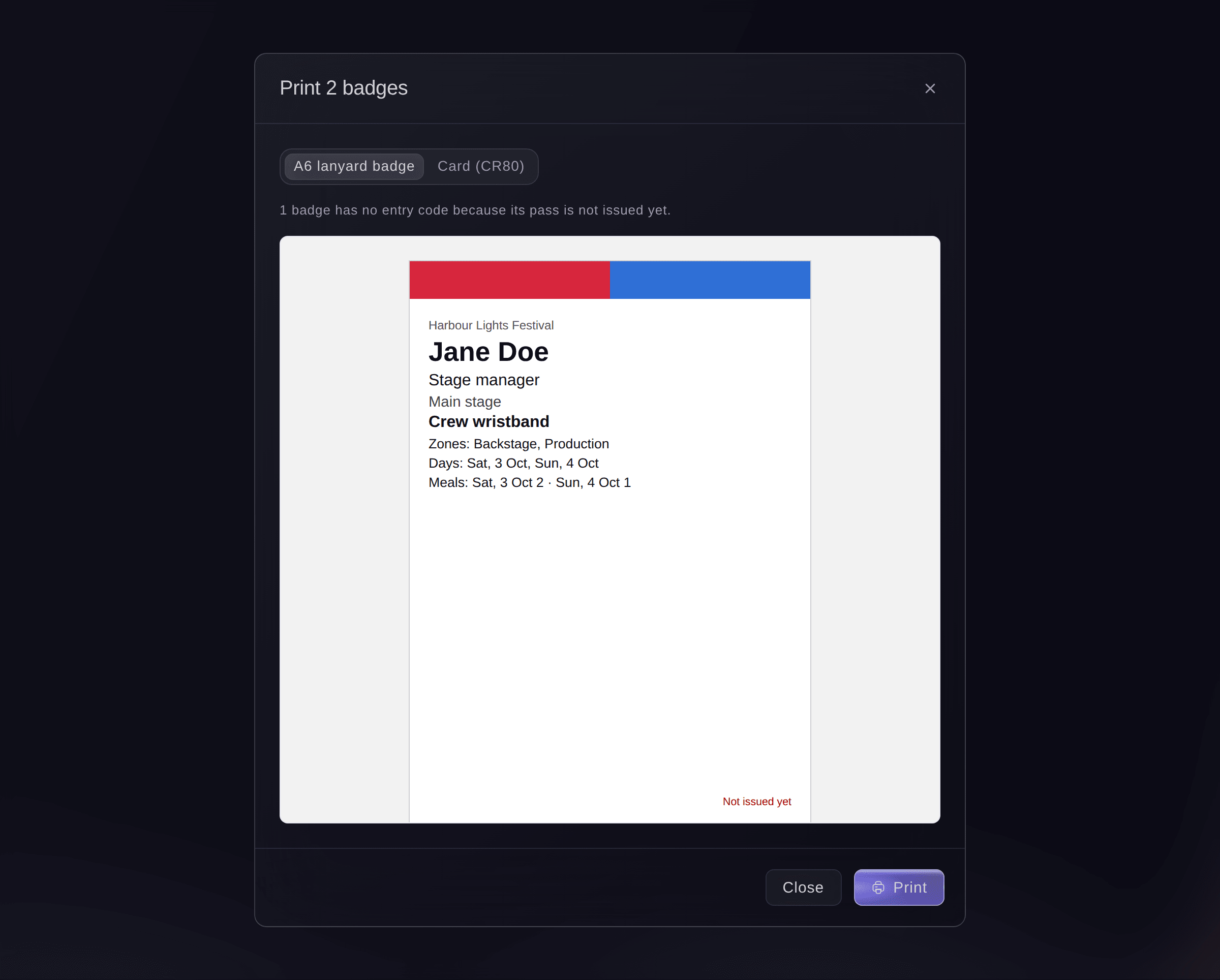
  • Photo badges: A6 or CR80 badges, with a photo link for each pass holder
Ticket Fairy Event Operating System: Hand out passes quickly at your desk
Get this page as a PDF Read it later or share it with your team. We email you a link to the PDF.
What to put in your PDF

We will email you this deck. We may also email you now and then about Ticket Fairy features that can help your events. You can unsubscribe at any time with one click.

Go Deeper Into Accreditation

See how your team does each job in the dashboard, set it up step by step and get answers to your questions.

  • Passes & approvals

    Give crew, acts, traders, volunteers and press named passes with the right zones, days, meals and parking. Outside teams name their own people, and approvers decide from their email.

  • Pass desk & gates

    Hand out passes fast at a desk that shows what is on each pass and records who took it. Keep zones to the right people at staff gates, and see who is on site live.

  • Press & media

    Take press applications through your own form and approve them with clear permissions. Give press passes for the pit and your staff gates, and share photos and video with promoters.

Get your whole team on site with the right pass

  • Zones and pass types

    Give each pass type its zones, days, hours, meals and parking.

  • Pass groups

    Group passes for crew, performers and their guests, trader staff, volunteers and press. Each group has an allowance and a deadline for names.

  • Outside teams

    Outside teams name their people on their own page, paste a list or upload a spreadsheet. They can bring back last event's people.

  • Approvals

    Set rules for who approves passes, and decide many requests at once.

  • Named passes

    Issue named passes that your door team scans like tickets.

  • Photo badges

    Upload a photo, or send a photo link the pass holder opens without making an account, then print.

  • Hand-out desk

    Hand passes over by scan or name, collect for a group and undo a hand-over with a reason.

  • Staff gates and On site now

    Check passes in and out of each zone and see who is on site for a roll call.

  • Desks

    Open each desk at your event from the Desks section, and share a desk link you can stop at any time.

  • Guest tickets and partner allowances

    Send free tickets to guests and give partners their own allowance to hand out.

  • Arrivals

    See when and how each pass holder arrived, and how many of each group are here.

  • Send a pass again

    Email a pass again, with each send kept in its history.

  • Press requests

    See what each outlet wants to do, such as photos, video or interviews. Verify, approve or decline requests one at a time or in batches.

Questions About Accreditation

Accreditation

A pass is a named guest ticket, so your door team scans it in the ticket app they already use. You can also print it as a photo badge.

Your staff gates and gate links do. They check the zone, day and hour on each scan. The check-in app scans passes as tickets and shows what each pass allows.

No. The gate checks each pass with Ticket Fairy. Without a connection, it asks staff to check passes by eye and scan them when the connection is back. The hand-out and meal desks work without one.

Up to 500 passes and up to 200 badges at a time.

Passes work on events without a seat map. For an event with a seat map, issue guest tickets on the Guest Tickets page instead.

To the email address you issued it to. Each send is kept in the pass's history.

Yes. A backstage pass is one of your pass types, with the zones, days and hours it opens. At your staff gates, a backstage pass is refused anywhere it does not belong, with the reason shown.

Ready to Build a Stronger Event Business?

Book a live demo, and we will set up your first event on the Event Operating System with your team.

Start Selling Tickets Online

Sign up without a credit card and build a test event before you commit. Go on sale in minutes when you are ready.

No monthly subscription required for ticketing
Start selling tickets immediately
Ticketing tools included in the service fee
Get Started for Free Talk to Fai Now

Ask Fai, our AI assistant, about Ticket Fairy’s features, pricing and how it could work for your event.

No credit card required

Book a demo call

See the referral model that drives 20% more ticket sales on average, learn which campaigns sell tickets, answer buyers faster and keep queues moving.

45-Minute Video Call
Pick a Time That Works for You

The Ticket Fairy, Inc. is a fintech company and technology platform. The Ticket Fairy, Inc. is not a bank, financial institution, or regulated financial services provider. Vault banking services are provided through regulated banking partners. Ticket Fairy Capital financing is provided by third-party private credit partners. The Ticket Fairy, Inc. does not make credit decisions, and all funding terms, approvals and conditions are determined by those lending partners.